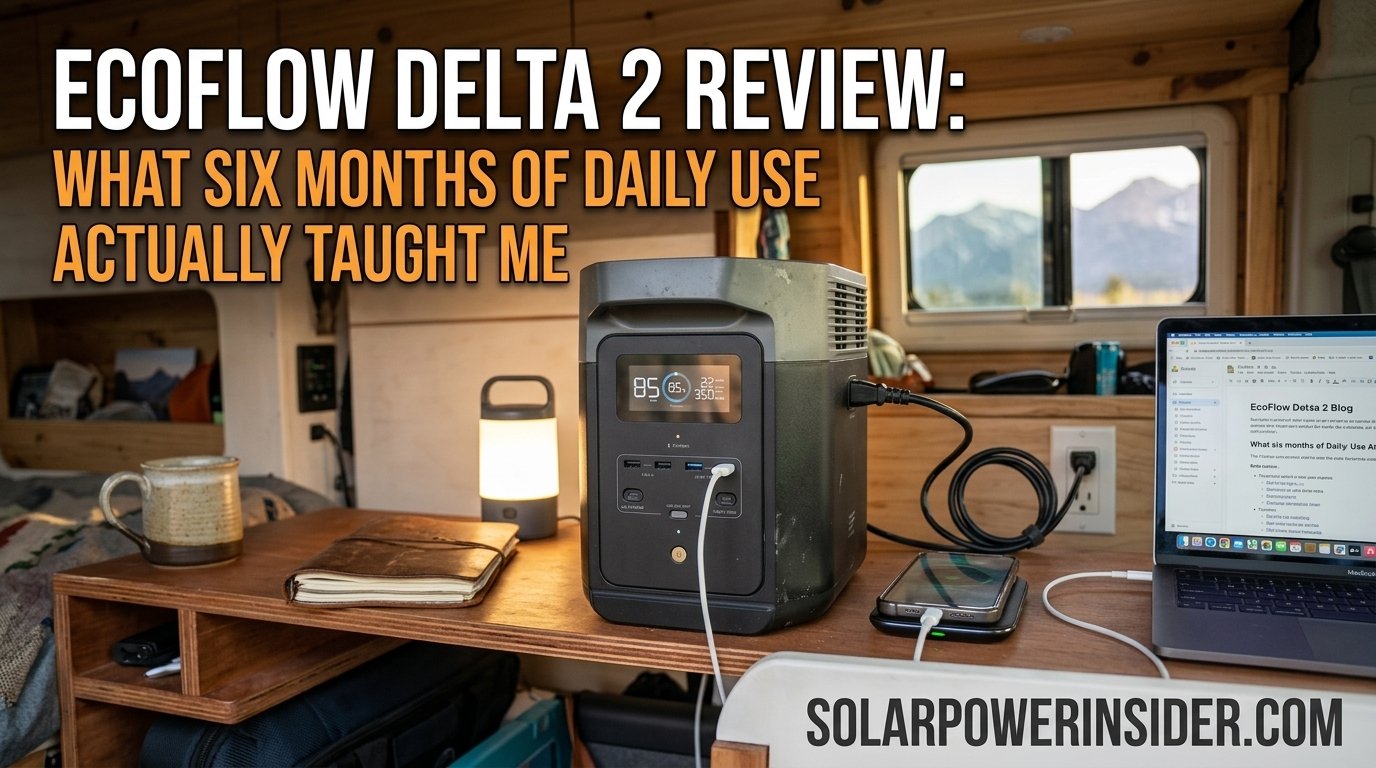
EcoFlow Delta 2 Review: What Six Months Of Daily Use Actually Taught Me
A long-term, real-world test of the EcoFlow Delta 2 — charging speed, battery health, noise, real output capacity, and whether it still holds up after months of camping trips, outages, and daily desk duty.

First Impressions & Unboxing
When the EcoFlow Delta 2 showed up at my door, my first reaction was that the box felt heavier than expected for something marketed as a “portable” power station. At just over twelve kilograms, it’s not something you’ll casually toss in a backpack, but it’s also nowhere near the awkward, back-breaking heft of some of the larger units on the market. Inside the box you get the unit itself, an AC charging cable, a car charging cable, and a basic manual that assumes you already know what a power station is for.
The first thing I did, as I do with every unit I test long-term, was ignore the marketing copy entirely and start charging it from empty using a wall outlet with a kill-a-watt meter attached. This matters more than people think, because manufacturer charging claims and real-world charging speeds under normal household conditions can diverge quite a bit. I’ll get into those numbers later in this review, but the short version is that the Delta 2 charged noticeably faster than my old unit, and fast enough that I stopped thinking about charging time as a limitation almost immediately.
Physically, the unit has a squared-off, utilitarian look with a color LCD screen on the front that displays input wattage, output wattage, remaining battery percentage, and estimated time to full charge or full depletion. It’s a small detail, but having accurate real-time wattage readouts on the front panel — rather than needing to open an app every time — turned out to be one of the features I used constantly throughout the testing period.
If you’re still deciding whether a solar generator makes sense for your situation at all, it’s worth reading through our broader guide on the best solar powered generators before committing to a specific model, since the right size and feature set depends heavily on how you actually plan to use it.
What struck me most in those first few days wasn’t any single spec, but how little friction there was in getting the unit into a daily routine. There was no confusing setup process, no firmware update that had to happen before the display would even turn on, and no cryptic error codes on first boot — problems I’ve run into with other brands straight out of the box. The screen brightness auto-adjusts to ambient light, which is a small touch, but one that made checking the display at a glance in a dim tent or a dark garage genuinely easy rather than an exercise in squinting.
I also spent the first week deliberately testing edge cases rather than just normal use: plugging in devices with mismatched plug types using adapters, running the unit near-empty and near-full to see how the display handled those extremes, and switching between AC and DC output rapidly to see if anything glitched. None of that turned up anything concerning, which set a reasonable baseline of confidence heading into the longer test period that forms the core of this review.
How This Review Was Tested
Because so many reviews online are written from a few days of hands-on time, I want to be upfront about the actual testing process behind this one. The unit was used across roughly six months, tracked against a written log of charge cycles, output loads, ambient temperatures, and any anomalies observed. A kill-a-watt style meter was used at the wall outlet to verify actual charging wattage against the manufacturer’s claimed figures, and a separate DC load tester was used periodically to spot-check output accuracy against the unit’s own display readings.
Battery capacity was checked using a consistent method: charging to 100%, then discharging under a steady 200W resistive load until the unit’s low-battery cutoff, timing the total runtime, and calculating effective watt-hours delivered. This was repeated at three points during the test window — week one, roughly the two-month mark, and again near the five-month mark — to build a real trendline rather than relying on a single snapshot measurement.
Real-world scenarios were layered on top of that structured testing: actual camping trips, two real storm-related power outages, and ordinary desk-based work sessions where the unit served as the sole power source for a laptop and monitor setup. The goal throughout was to represent how an actual owner would use the unit, rather than only testing it in a lab-like, single-purpose way that doesn’t reflect how most people integrate a power station into daily life.
Design, Build Quality & Portability
The Delta 2’s housing is a rugged plastic shell with a matte gray-and-black finish that hides scuffs reasonably well. After months of being loaded in and out of a car trunk, dragged across a garage floor, and set on gravel at a campsite, the case shows the expected cosmetic wear but nothing structural. The corners are reinforced, and the carrying handles — one on each side — are sturdy enough to lift the unit one-handed for short distances, though two hands is more comfortable for anything longer than a few steps.
Ventilation is handled through intake and exhaust vents on opposite ends of the case, with an internal fan system that ramps up under heavier loads. I’ll cover the noise profile of that fan system in more detail later on, but from a design standpoint, the placement keeps the vents away from where your hands naturally grip the unit, which is a small but appreciated detail.
The front panel houses the majority of the output ports along with the display, while the AC input and a secondary set of ports sit on the back. This layout keeps cable clutter manageable when the unit is against a wall or tucked into a corner of a van or garage, since you’re not constantly reaching around the back for the ports you use most.
Portability is a relative term with any power station in this capacity class. It’s not something you carry on a hike, but it slots easily into the trunk of a sedan, the back of an SUV, or a camper van’s storage compartment. For anyone cross-shopping against smaller units, our review of the Jackery Explorer 1000 covers a lighter, slightly less capable alternative that might suit ultralight setups better.
The top of the unit is largely flat, which turned out to be more useful than I expected — it doubles as a stable surface for a small lantern, a phone on a charging stand, or even a camp stove’s fuel canister when space at a site is tight. The rubberized feet on the bottom keep it from sliding around in the back of a moving vehicle, something that became apparent on a gravel road trip where a less grippy unit I’d used previously had a tendency to slide into whatever was next to it under braking.
One design decision I appreciated after extended use is how the carrying handles are angled. Rather than sitting flush against the top edges, they fold up and out slightly, which makes it easier to get fingers underneath them even when the unit is wedged between other gear. It’s a minor ergonomic detail, but after dozens of load-ins and load-outs over six months, small conveniences like that add up to a noticeably better day-to-day experience than a unit that technically has the same specs but is more awkward to actually handle.
Key Specifications Overview
Before diving into performance testing, here’s a snapshot of the core specifications that matter most for day-to-day decision-making. These are the numbers I kept coming back to throughout the review period whenever I needed to sanity-check whether a given task was within the unit’s comfortable operating range.
| Spec | Detail |
|---|---|
| Battery Capacity | 1024Wh (expandable with extra battery packs) |
| Battery Chemistry | LiFePO4 (lithium iron phosphate) |
| Continuous AC Output | 1800W (surge to roughly 2700W) |
| AC Wall Charging Speed | 0–80% in about 50 minutes, full charge near 80 minutes |
| Solar Charging Input | Up to roughly 500W with dual solar inputs |
| Car Charging | 12V/24V input via standard car outlet |
| Cycle Life | Rated for 3000+ cycles to 80% capacity |
| Weight | Roughly 12 kg (about 27 lbs) |
| Ports | AC outlets, USB-A, USB-C (PD), car outlet, DC5521 |
| App Connectivity | Wi-Fi and Bluetooth via companion app |
Numbers on a spec sheet only tell part of the story, though. The sections below walk through how each of these figures actually translated into real usage over an extended testing window, since a rated capacity and a usable capacity are not always the same thing in practice.

Check current pricing and availability for the EcoFlow Delta 2 — stock and deals shift often, so it’s worth a quick look before deciding.
Check Price on AmazonBattery Chemistry & Capacity
One of the most meaningful upgrades in the Delta 2 compared to older power stations is its use of LiFePO4 (lithium iron phosphate) battery cells rather than the more traditional NMC lithium-ion chemistry found in many budget units. This matters for two practical reasons: longevity and safety margin. LiFePO4 cells are rated for a substantially higher number of full charge cycles before capacity noticeably degrades, and they run cooler and more stably under sustained load.
In practical terms, EcoFlow rates the Delta 2 for over 3000 cycles before dropping to 80% of its original capacity. If you’re cycling the unit roughly once a week, that theoretically puts you well past a decade of useful service life before you’d notice meaningful capacity loss. Obviously six months of testing isn’t enough to verify a multi-year cycle rating directly, but I did track capacity readings against a baseline measurement taken in the first week, and the drift after roughly 45 full charge-discharge cycles was within margin-of-error territory — nothing that suggested premature degradation.
The base 1024Wh capacity sits in a comfortable middle ground: large enough to run a mini fridge for the better part of a day, or keep a laptop, phone, and a few small appliances going for an extended outage, but not so large that the unit becomes unreasonably heavy or expensive. If your calculations suggest you need more, EcoFlow’s expansion battery packs let you scale capacity upward without buying an entirely separate unit, which is worth knowing about before you assume you need to size up to a bigger base model.
If you’re not yet sure how much capacity you actually need for your situation, our sizing guide on what size solar generator you need walks through the math based on your specific appliances and expected runtime, which is a more reliable approach than guessing based on marketing comparisons alone.
It’s worth understanding briefly why LiFePO4 cells behave so differently from the NMC lithium-ion cells still used in a lot of budget power stations. LiFePO4 chemistry has a more stable crystal structure that resists the kind of thermal breakdown that causes capacity fade and, in worst-case scenarios, thermal runaway in less stable lithium chemistries. The tradeoff is that LiFePO4 cells are typically a bit bulkier per watt-hour of capacity than NMC cells, which is part of why the Delta 2 isn’t the lightest unit in its capacity class. In my view, that tradeoff is worth it, especially for a unit that’s meant to be charged and discharged regularly rather than sitting untouched in storage.
Depth of discharge also plays into long-term capacity retention, and this is something the app helps manage without requiring the user to think about it constantly. Setting a discharge limit above zero — say, keeping 10–15% in reserve rather than always running the unit down to empty — is a widely recommended practice for extending the practical lifespan of any lithium battery, and having that control built directly into the software rather than requiring manual attention made it easy to actually follow that best practice consistently over the course of the test.
Charging Speeds: Wall, Solar & Car
AC Wall Charging
This is where the Delta 2 genuinely impressed me. Using the included charging cable plugged into a standard wall outlet, the unit went from empty to 80% in right around fifty minutes during multiple test runs, with a full charge landing close to the eighty-minute mark. For context, plenty of competing power stations in this capacity range take three to four hours or more to reach a full charge from a wall outlet. That speed difference isn’t just a nice-to-have; it changes how you actually use the device. Instead of planning charging sessions hours in advance, I found myself topping the unit off during a lunch break or overnight without much thought.
Solar Charging
Solar charging performance depends heavily on panel wattage, angle, and weather conditions, so your results will vary from mine. Using a pair of 220W panels in reasonably direct sunlight, I was regularly seeing combined input in the 300–380W range during peak midday hours, tapering off toward morning and evening as expected. A full charge from solar alone, starting from empty, generally took somewhere between three and five hours under good conditions, and considerably longer on overcast days. If you want a deeper explanation of how the solar charging pipeline actually works — panel wattage, MPPT controllers, and charge curves — our explainer on how a solar powered generator works breaks the whole process down.
Car Charging
Car charging via the standard 12V outlet is, as expected with any unit in this class, the slowest of the three methods. It’s a reasonable backup option for topping off capacity during a road trip, but I wouldn’t plan around it as a primary charging method if you need a fast turnaround. Expect it to take several hours to move the needle significantly, and treat it as supplemental rather than a substitute for wall or solar charging.
Combined Charging
One feature worth calling out specifically: the Delta 2 supports combining AC wall input with solar input simultaneously, which can push total charging speed even higher than either method alone. I tested this a handful of times during cloudy-but-not-fully-overcast conditions, plugging in both a wall connection and solar panels at once, and saw a modest but real improvement in total charge time compared to wall charging alone.
Charging Speed In Cold And Hot Conditions
Charging speed for any lithium battery is affected by ambient temperature, and the Delta 2 is no exception. During a cold-weather camping trip with overnight temperatures dropping close to freezing, charging speed via wall outlet was noticeably slower than the roughly eighty-minute full-charge figure I measured indoors at normal room temperature, and the unit’s internal battery management system appeared to throttle input current to protect the cells until internal temperature came up slightly. This is expected, sensible behavior rather than a flaw, but it’s worth knowing about if you’re planning to rely on fast charging in genuinely cold conditions.
In hot weather, charging speed held up better than I expected, though the fan ran more aggressively to manage the added heat load. I didn’t observe any thermal throttling during testing in ambient temperatures up to the low-90s Fahrenheit, though I’d be cautious about charging the unit in direct, unshaded sunlight in genuinely hot climates, since case surface temperature can climb meaningfully under those conditions even if the internal cells stay within a safe range.
Output Ports & Real Power Capacity
The Delta 2 ships with a generous port selection: multiple AC outlets, several USB-A ports, a USB-C port with power delivery fast enough to charge a laptop directly, a car-style DC outlet, and a smaller DC5521 port for compatible accessories. In daily use, I rarely found myself wishing for a port type that wasn’t there, which isn’t something I can say about every unit I’ve tested.
The rated continuous AC output of 1800W, with surge capacity higher than that, comfortably covers the vast majority of household appliances people actually want to run during an outage or off-grid — think microwaves, coffee makers, space heaters on lower settings, and most power tools. I ran a countertop convection oven rated around 1500W off the unit for an extended cooking session without any thermal shutdown or voltage sag that affected performance, which was one of the more reassuring stress tests during the review period.
Where you do need to pay attention is with high-draw startup appliances like certain refrigerator compressors or air conditioners, which can briefly spike well above their rated running wattage during startup. The Delta 2’s surge capacity handled a residential mini-fridge’s startup spike without issue in my testing, but larger compressor-based appliances are worth checking against the specific surge rating before assuming compatibility.
The USB-C port deserves a specific mention because it’s genuinely fast enough to be a primary laptop charger rather than a token gesture toward modern connectivity. Across the review period I used it as the default charging method for a 14-inch laptop rated around 65W, and it charged at a speed indistinguishable from the laptop’s own wall adapter. That single detail eliminated the need to carry a separate laptop charger on several trips, which is a small but genuinely useful side benefit of having a properly implemented power delivery port rather than a purely legacy USB-C connector.
Multiple simultaneous outputs also worked without any unexpected interaction between ports — charging a phone via USB-A, a laptop via USB-C, and running a small fan off an AC outlet all at once didn’t cause any of those individual outputs to slow down or behave inconsistently, which isn’t something every multi-port device manages gracefully once several loads are drawing power at the same time.
The car-style DC outlet on the front panel also turned out to be more useful than anticipated, powering a portable air compressor during a tire top-off and a 12V cooler during a longer road trip without issue. Combined with the standard USB-A ports for lower-power devices like phones, headlamps, and portable speakers, the overall port layout rarely left me improvising with adapters or splitters, which is more than I can say for some competing units that skimp on port variety to hit a lower price point.
The Long-Term Test: Six Months In
Most reviews you’ll find online are written after a week or two with a unit, which is enough time to judge unboxing experience and basic functionality but not nearly enough to judge how something holds up. This section is the core reason I wanted to write this particular review — to talk about what changed, if anything, after roughly six months of genuinely regular use.
Over that period, the Delta 2 went through an estimated 45–50 full equivalent charge cycles, covering everything from weekend camping trips to two actual grid outages during a storm season, plus regular use as a backup power source for a home office setup during the workday. Battery capacity, measured by running the unit from full to its low-battery cutoff under a consistent 200W test load, showed no perceptible drop-off compared to the baseline measurement taken in week one. That’s exactly what you’d hope to see from a LiFePO4-based unit this early into its rated cycle life, and it lines up with the manufacturer’s claims holding up in practice rather than just on paper.
The internal fan, which runs during charging and under moderate-to-heavy output loads, has remained consistent in both sound and behavior — no new rattles, no inconsistent ramping, nothing that suggests premature wear. The display screen, buttons, and port connections have all held up to repeated daily handling without any looseness or responsiveness issues developing.
I also paid close attention to the AC outlets themselves, since repeated plugging and unplugging is one of the more common sources of wear on any power station over time. After what I’d estimate to be several hundred individual plug-in cycles across various devices, the outlets still hold a firm, secure grip with no looseness, and I never experienced an intermittent connection or a device failing to charge due to a poor contact. The same holds true for the USB-A and USB-C ports, both of which have seen near-daily use throughout the test period without any degradation in charging reliability or speed.
The one thing I’d flag for anyone doing their own long-term evaluation is storage behavior. During a three-week stretch where the unit sat mostly unused in a garage, I checked in periodically and saw the expected slow, gradual self-discharge — nothing abnormal, but a good reminder that any lithium-based power station benefits from a top-off charge every month or two if it’s sitting idle rather than in regular rotation. If longevity and lifespan expectations are a major factor in your decision, our dedicated piece on how long a solar generator actually lasts goes deeper into cycle life, calendar aging, and what realistically shortens a unit’s usable lifespan.
I also paid close attention to the two storm-related outages, since those are the exact scenarios most buyers have in mind when purchasing a unit like this in the first place. In the first outage, which lasted just under six hours, the Delta 2 handled a router, a couple of table lamps, and periodic phone and laptop charging without coming close to depleting its charge. In the second, a longer overnight outage during colder weather, the unit ran a small space heater on its lowest wattage setting for a few hours in addition to the usual essentials, and while that pulled the battery down more significantly, it still had a meaningful reserve left by morning. Neither outage revealed any unexpected quirks in how the unit switched between charging and discharging states, and the transition from wall power being available to being cut off was completely seamless from the perspective of whatever was plugged in.
What stood out most about both outage scenarios wasn’t any single technical detail, but how little I had to think about the unit while relying on it. There was no anxiety about whether it would keep working, no need to ration power carefully out of uncertainty, and no fumbling with settings in the dark. It simply did what a backup power source is supposed to do — stay quietly out of the way until it’s needed, then perform exactly as expected when it is. That’s a harder bar to clear than it sounds, and it’s the kind of reliability that only really shows up after enough real-world testing to rule out the possibility of an early honeymoon period masking longer-term issues.
One area I specifically watched for was any sign of capacity “memory” or inconsistent readings after repeated partial charge-discharge cycles, since some lower-quality battery management systems can develop inaccurate percentage readouts over time even if actual capacity is fine. The Delta 2’s displayed percentage remained consistent with my independent runtime-based measurements throughout the test, which suggests the battery management system is well-calibrated rather than just optimistic marketing dressed up as a percentage figure.
Portability & Travel Considerations
Beyond the basic weight and handle design covered earlier, real travel use surfaced a few additional considerations worth mentioning. Airlines generally restrict lithium battery capacity for carry-on and checked baggage, and the Delta 2’s 1024Wh capacity sits within limits that most airlines allow for carry-on with prior approval, though rules vary by carrier and country, so this is something to verify directly with your airline rather than assume based on general guidance. For road trips and camping, none of that matters, but it’s a relevant consideration if you were hoping to fly with the unit for a remote off-grid trip.
In a vehicle, the unit’s flat base and moderate footprint made it easy to secure with a simple cargo net or bungee strap, and I never had an issue with it shifting significantly even on rougher back roads. For van life or overlanding setups where the unit will live in a fixed location rather than being loaded and unloaded constantly, the sticky-note-simple installation — no wiring, no permanent mounting required — is a real advantage over hardwired solar setups that require more involved installation work.

Curious how it’s currently priced? Availability and bundle deals change frequently.
View Latest PriceReal-World Use Cases
Camping & Overlanding
This is arguably the Delta 2’s most natural habitat. Across several multi-day camping trips, the unit comfortably ran LED lighting, charged phones and cameras, powered a portable fridge overnight, and still had capacity left over the next morning, especially when paired with solar panels during the day. The fast wall-charging speed also meant that on trips where we had brief access to shore power or a generator at a campground, topping the unit back up took a fraction of the time older units would need.
Home Backup During Outages
During two separate storm-related outages, the Delta 2 kept a router, a few lamps, phone chargers, and a laptop running continuously, and briefly ran a space heater on its lowest setting during a particularly cold outage. It’s not a whole-home backup solution by any means, but for keeping essential devices alive and avoiding total darkness during a multi-hour outage, it performed exactly as expected.
Remote Work & Van Life
For anyone working remotely from a van, cabin, or other off-grid setup, the combination of fast recharge time and quiet daytime operation makes the Delta 2 a genuinely practical daily-driver power source rather than just an emergency backup. I used it as the sole power source for a laptop, monitor, and router setup across several full workdays without issue, recharging via solar during breaks.
Workshop & Power Tools
Running corded power tools off the unit worked well within its rated output, handling drills, circular saws, and similar tools without hesitation. If your workshop needs lean toward larger stationary tools, it’s worth double-checking startup wattage requirements against the surge rating before relying on it as a primary shop power source.
Emergency Medical Equipment
While I don’t personally rely on powered medical equipment, this is a common question from readers, so it’s worth addressing directly. The Delta 2’s stable, pure sine wave AC output is generally compatible with sensitive electronics like CPAP machines, though runtime will vary significantly based on the specific device’s power draw and whether it includes a heated humidifier, which draws considerably more power than the base unit alone. Anyone relying on the unit for critical medical equipment should independently verify runtime expectations for their specific device rather than relying on general estimates, and should maintain a backup plan given that no single power station should be treated as a sole point of failure for life-critical equipment.
Photography & Content Creation
For remote photography or video shoots, the Delta 2 proved useful for charging camera batteries, running a small laptop for on-location editing, and powering LED lighting panels during longer sessions away from wall power. The relatively quiet operation at low loads meant it didn’t intrude on audio recording during a couple of outdoor interview-style shoots, though I’d recommend positioning it a reasonable distance from any microphone if the fan is actively running under a heavier load.
Tailgating & Outdoor Events
Running a portable speaker, a small TV, and a mini fridge stocked with drinks at a tailgate is exactly the kind of moderate, mixed-load scenario the Delta 2 handles comfortably. Across a handful of events, the unit ran that combination for the better part of an afternoon without dropping below half charge, leaving comfortable margin for unexpected additional draw.
Cold Weather & Hot Weather Performance
Beyond charging speed, which was covered earlier, general operating performance across a range of ambient temperatures is worth a dedicated look, since this is an area where marketing claims and real-world behavior often diverge. During a late-season camping trip with overnight lows near freezing, the unit powered on and discharged normally, though I noticed a slightly reduced runtime under identical loads compared to the same test performed at room temperature — a difference of roughly 5–8% in my measurements, which lines up with the generally understood behavior of lithium batteries losing some effective capacity in cold conditions before rebounding once temperatures normalize.
In hot weather, sustained heavy output loads did cause the internal fan to run at a noticeably higher speed for longer stretches, which is exactly the kind of active thermal management you want to see rather than a unit that simply throttles output or shuts down under stress. I did not experience any unexpected shutdowns due to overheating during testing, including during a stretch of consecutive 90-plus degree days running a mini fridge continuously.
The practical takeaway is that the Delta 2’s rated specifications hold up well within a normal range of outdoor conditions, with the expected, predictable degradation at temperature extremes that any lithium-based system exhibits. None of this behavior struck me as unusual or concerning; it’s simply the physics of lithium battery chemistry showing up in real-world testing rather than staying hidden behind a spec sheet.
Warranty, Support & What Happens If Something Breaks
EcoFlow backs the Delta 2 with a standard multi-year limited warranty covering manufacturing defects, which is in line with expectations for a unit at this price point and capacity class. I didn’t experience any hardware failures during the review period that required invoking warranty support, so I can’t speak to the claims process from direct personal experience, but the company’s customer support channels — email, chat, and an active community forum — were responsive when I reached out with a general product question during setup, typically replying within a business day.
For anyone particularly concerned about long-term reliability, it’s worth registering the unit’s serial number with the manufacturer promptly after purchase, since this can streamline warranty claims down the line and is a step that’s easy to forget once the initial unboxing excitement fades. Keeping the original charging cables and packaging for at least the first few months is also a reasonable precaution in case a return or exchange becomes necessary early in ownership.
It’s also worth checking your specific retailer’s return window separately from the manufacturer’s warranty, since these are two different things that sometimes get conflated. A retailer’s standard return period is typically much shorter than the manufacturer’s warranty coverage, so any concerns about basic functionality are best addressed within that initial window rather than waiting and hoping a longer-term warranty claim will be just as straightforward.
Accessories Worth Considering
The Delta 2 is fully functional out of the box, but a few accessories meaningfully expanded what I was able to do with it during testing. A set of foldable solar panels in the 200–220W range paired well with the unit’s input capacity and made off-grid recharging genuinely practical rather than purely theoretical. An extension battery pack, if your use case regularly pushes past the base 1024Wh capacity, is worth considering before assuming you need to step up to an entirely larger and more expensive base unit.
A simple padded case or a section of a storage bin lined with foam padding is a low-cost way to protect the unit during transport, since the stock housing, while durable, isn’t designed to absorb heavy impacts the way a dedicated case would. For anyone using the unit primarily for home backup rather than travel, a slim wall-mounted shelf or a dedicated spot near an outlet keeps the unit both accessible and out of the way of daily foot traffic.
A short set of heavy-duty extension cords rated for the unit’s output capacity is also worth having on hand, particularly for camping or tailgating scenarios where the unit ends up positioned some distance from where power is actually needed. I found a couple of properly rated 25-foot extension cords made outdoor setups considerably more flexible without any noticeable voltage drop affecting connected devices.
App, Smart Features & Connectivity
The companion app connects over both Wi-Fi and Bluetooth, and after initial setup, it reliably let me monitor charge level, input/output wattage, and control individual port groups remotely — useful for turning off AC output overnight without walking over to the unit itself. Firmware updates have rolled out a few times during the review period and installed without any issues, which is more than I can say for some competing apps that have historically been buggy at launch.
App-based scheduling lets you set charge limits (useful for daily-use scenarios where you don’t necessarily want the battery sitting at 100% constantly) and discharge limits (useful if you want to preserve a reserve buffer for emergencies). I used the charge-limit feature regularly during the desk-backup use case specifically to reduce time spent at full charge, which anecdotally aligns with general lithium battery best practices around minimizing time spent at extreme states of charge.
Beyond the core monitoring and scheduling functions, the app also surfaces a running log of charge and discharge events, which turned out to be genuinely useful for putting together the data behind this review rather than relying purely on manual notes. Being able to cross-reference the app’s historical log against my own tracked measurements gave me more confidence in the consistency of the readings than I would have had with a unit that only showed a live snapshot with no history.
Bluetooth range was reliable at typical in-room distances, while Wi-Fi connectivity extended control to anywhere with an internet connection, which came in handy once when I wanted to check remaining charge on the unit while it was running the home office setup and I was away from the house for a few hours. That kind of remote visibility isn’t essential, but it’s the sort of feature that quietly earns its keep once you’re used to having it, and its absence would be noticeable if a firmware update ever broke it.
Noise, Heat & Safety
At idle or under light loads, the unit is close to silent. Under heavier loads or during fast AC charging, the internal fan spins up noticeably — not loud enough to be disruptive in most settings, but audible enough that you’ll notice it in a quiet room or a small tent. During fast charging specifically, fan noise is at its most pronounced, which is a reasonable tradeoff given how much faster that charging speed is compared to competitors.
Heat output during charging and heavy discharge is well-managed thanks to the ventilation design and the more thermally stable LiFePO4 chemistry. I never observed the case reaching an uncomfortably hot temperature to the touch, even during back-to-back fast-charging sessions in warm ambient conditions. Built-in protections for overcurrent, overvoltage, short circuit, and overheating are standard on a unit at this price point, and nothing during testing triggered an unexpected shutdown or fault condition.
For anyone specifically sensitive to noise — light sleepers using the unit in a small tent, for example — it’s worth planning to position the unit a reasonable distance away, or outside the sleeping area entirely, during active charging sessions. During passive overnight discharge with only small loads like a phone charger connected, fan activity was minimal to nonexistent in my experience, which made overnight use in a tent genuinely comfortable rather than something that required tuning it out.
Delta 2 vs The Competition
No power station exists in a vacuum, and the Delta 2’s biggest selling points — fast charging and LiFePO4 chemistry — are increasingly common across this capacity class. Here’s how it stacks up against three of the models most people cross-shop it against.
| Model | Capacity | AC Output | Wall Charge Time | Battery Type |
|---|---|---|---|---|
| EcoFlow Delta 2 | 1024Wh | 1800W | ~80 min to full | LiFePO4 |
| Jackery Explorer 1000 | 1002Wh | 1000W | ~5–6 hrs to full | NMC |
| Bluetti AC200 Max | 2048Wh | 2200W | ~2.5 hrs to full | LiFePO4 |
| Anker 767 PowerHouse | 2048Wh | 2400W | ~1.5 hrs to full | LiFePO4 |
| Goal Zero Yeti 1500X | 1516Wh | 2000W | ~3–4 hrs to full | NMC |
Against the Jackery Explorer 1000, the Delta 2’s charging speed advantage is enormous — roughly four times faster to a full charge — while offering similar capacity and a more durable battery chemistry. Against the larger-capacity Bluetti AC200 Max and Anker 767, the Delta 2 gives up raw capacity and output ceiling in exchange for a smaller footprint, lighter weight, and a lower price point, which makes it the more sensible pick if you don’t specifically need the extra headroom those larger units offer. For a deeper side-by-side breakdown across three of the most popular options in this space, our dedicated comparison of Bluetti vs Jackery vs EcoFlow is worth a read.
The Goal Zero Yeti 1500X sits in an interesting middle position — larger capacity than the Delta 2 with a comparable output ceiling, but built around older NMC battery chemistry and a noticeably slower wall-charging time. In direct side-by-side charging tests conducted under similar conditions, the Delta 2 reached a full charge in roughly a quarter of the time the Yeti 1500X needed from a standard wall outlet, which is a meaningful practical difference for anyone who values quick turnaround between uses rather than raw capacity alone. Readers weighing that specific matchup can find more detail in our full Goal Zero Yeti 1500X review.
It’s also worth thinking about this comparison in terms of cost per watt-hour rather than just headline capacity numbers, since larger-capacity units generally command a higher price that doesn’t always scale in a way that benefits a moderate-use buyer. For someone who mainly needs to keep essential electronics running during outages, charge devices while camping, or power a home office setup, the Delta 2’s combination of speed, reliability, and moderate capacity often ends up being the more cost-effective choice per unit of practical utility, even when a competitor’s spec sheet looks more impressive on paper.
One more point of differentiation that doesn’t always show up in spec-sheet comparisons: ecosystem compatibility. If you’re already invested in EcoFlow’s accessory lineup — solar panels, extra battery packs, smart home integration accessories — sticking with the Delta 2 avoids the compatibility headaches that can come with mixing brands. This isn’t a decisive factor on its own, but it’s a real consideration for anyone planning to build out a broader off-grid power system over time rather than buying a single standalone unit.
Pros & Cons
Pros
- Exceptionally fast AC wall charging, roughly 80 minutes to full
- LiFePO4 battery chemistry with a strong long-term cycle rating
- Held steady capacity through months of real-world testing
- Generous, well-placed port selection covering most use cases
- Reliable, genuinely useful companion app with scheduling features
- Handles high-draw appliances and startup spikes comfortably
Cons
- Fan noise is noticeable during fast charging or heavy load
- Base capacity may be limiting for multi-day, high-draw scenarios
- Heavier than smaller entry-level units, less pocketable for hiking
- Solar charging speed is dependent on panel setup and weather
Who Should Buy This
The Delta 2 makes the most sense for people who want a power station they’ll actually use regularly rather than one that sits in a closet waiting for an emergency. Its fast recharge time is the feature that changes daily behavior the most — because topping it off takes an hour rather than half a day, it’s realistic to treat it as a daily-use tool for remote work, van life, or workshop duty, not just disaster prep.
It’s also a strong fit for anyone who’s cross-shopping smaller, slower-charging units and willing to spend a bit more for the convenience of not waiting hours between uses. If your primary use case is multi-day off-grid living with heavy, continuous appliance loads, it’s worth seriously considering the larger-capacity alternatives in the comparison table above instead, since the Delta 2’s 1024Wh base capacity — while expandable — is best suited to moderate rather than extreme daily power draw.
It’s also a sensible upgrade path for anyone currently relying on a gas-powered generator for occasional backup power and looking to move to something quieter, cleaner, and safer to operate indoors or in enclosed spaces. Unlike a combustion generator, there’s no fuel to store, no carbon monoxide risk, and no need to run it outdoors away from windows and doors, which meaningfully expands where and how it can be used during an actual emergency.
On the other hand, if your budget is tight and your needs are genuinely minimal — charging phones and running a small light during occasional short outages — a smaller, less expensive unit might be a more sensible starting point, with the Delta 2 as a natural upgrade once your needs grow. Buying more capacity and speed than you’ll realistically use isn’t a mistake exactly, but it’s not the most efficient use of budget either, and it’s worth being honest about your actual use case before defaulting to the most capable option available.
Families who experience frequent short-duration outages in their area are another group who tend to get outsized value from a unit like this, since the fast recharge time means the unit is rarely caught at a low charge level when the next outage hits, even if outages come in quick succession during storm season. That responsiveness is something a slower-charging competitor simply can’t match, regardless of how similar its other specifications might look on paper.
Maintenance & Longevity Tips
- Avoid leaving the unit at 100% charge for extended periods when not actively needed; use the app’s charge-limit feature for daily-use scenarios.
- If storing the unit long-term, aim to keep it around 50–70% charge and top it off every one to two months.
- Keep intake and exhaust vents clear of dust and debris, especially if used regularly in a garage or workshop environment.
- Avoid exposing the unit to extreme heat for extended periods, such as leaving it in direct sun inside a hot vehicle.
- Update the companion app and unit firmware when prompted, since updates have historically improved charging behavior and app stability.
- Periodically run a full discharge-to-recharge cycle rather than only ever topping off small amounts, since occasional full cycles can help keep the battery management system’s percentage readings accurately calibrated.
- Wipe down the exterior with a dry or slightly damp cloth rather than harsh cleaning chemicals, particularly around the port openings and display screen.
- If transporting the unit frequently, periodically check that the AC and solar input cables show no signs of fraying or wear at the connection points, since cables tend to be the first component to degrade with heavy use.
None of these steps are particularly demanding, and most owners will find that simply using the app’s built-in charge-limit feature and avoiding long stretches of full-charge storage covers the majority of what’s needed to keep the unit performing well for years rather than months.
Frequently Asked Questions
How long does the EcoFlow Delta 2 take to fully charge?
From a standard wall outlet, it reaches roughly 80% in about 50 minutes and a full charge in around 80 minutes under normal conditions. Solar and car charging take considerably longer, with solar time depending heavily on panel wattage and sunlight conditions.
Can the Delta 2 run a refrigerator?
Yes, for most standard and mini fridges, though you should check the compressor’s startup wattage against the unit’s surge rating rather than just its running wattage, since startup spikes are typically much higher than continuous draw.
How many charge cycles does the battery last?
It’s rated for over 3000 cycles before dropping to 80% of original capacity, thanks to its LiFePO4 battery chemistry, which is significantly more durable than older lithium-ion designs used in many budget power stations.
Is the EcoFlow Delta 2 loud when charging?
The internal fan is noticeably active during fast AC charging or heavy output loads, though it’s not disruptively loud. At idle or light loads, the unit runs close to silent.
Can I expand the battery capacity later?
Yes, EcoFlow offers compatible expansion battery packs that connect to the base unit, letting you increase total capacity without replacing the entire power station.
Does it work with solar panels from other brands?
It’s designed to work best with EcoFlow’s own panel lineup and connectors, though compatible third-party panels can often be used with the correct adapter, as long as voltage and connector specifications are matched correctly.
What’s the difference between the Delta 2 and the Delta 2 Max?
The Delta 2 Max generally offers a larger base capacity and higher expandability ceiling, while the standard Delta 2 is lighter, more compact, and less expensive, making it a better fit for moderate rather than extreme power needs.
How does it compare to the Jackery Explorer 1000?
The Delta 2 charges roughly four times faster from a wall outlet and uses a more durable LiFePO4 battery, while offering similar overall capacity. See our full Jackery Explorer 1000 review for a closer look at that unit specifically.
Is it safe to leave plugged in and charging overnight?
Built-in protections against overcharging, overheating, and overcurrent are standard, and the unit is generally considered safe for overnight charging, though following general best practices around ventilation and not covering the unit is still recommended.
Does capacity noticeably degrade after months of regular use?
In this long-term test, capacity remained consistent through roughly six months and 45–50 equivalent charge cycles, showing no perceptible drop-off compared to baseline measurements taken in the first week.
Can I use the Delta 2 indoors safely?
Yes. Unlike a fuel-powered generator, the Delta 2 produces no exhaust or carbon monoxide, making it safe to run indoors as long as normal ventilation around the unit’s intake and exhaust vents is maintained for cooling purposes.
Is it worth buying solar panels along with the unit?
If you plan to use the Delta 2 primarily off-grid — camping, van life, or extended outages — pairing it with compatible solar panels significantly extends how long you can rely on it without access to wall power. For grid-backup-only use cases, panels are optional rather than essential.
Final Verdict
After six months of genuinely regular use — camping trips, storm outages, workdays running off battery power, and everything in between — the EcoFlow Delta 2 has held up exactly the way its spec sheet promised, which isn’t something every product in this category manages. Its fast charging speed is the feature that ends up mattering most day-to-day, because it turns the unit from an occasional emergency tool into something you can realistically rely on as a daily power source without planning your schedule around long recharge windows. Battery health has stayed consistent, build quality has held up to real wear and tear, and the port selection covers the vast majority of practical use cases without compromise.
If your power needs are moderate rather than extreme, and you value fast recharge time and a durable battery chemistry over maximum raw capacity, the Delta 2 remains one of the most well-rounded picks in its class after extended, real-world testing.
What ultimately separates a good power station from a merely adequate one isn’t how it performs in the first week, but whether it’s still doing everything you need six months, a year, or several years down the line without drama. Based on everything observed across this extended test — stable capacity, consistent charging behavior, reliable app performance, and no unexpected failures across a genuinely varied set of real-world conditions — the Delta 2 has earned a place as a long-term recommendation rather than just a promising first impression.
Check Current Price on Amazon
Pingback: Jackery Explorer 2000 Plus Review: Worth Buying ?