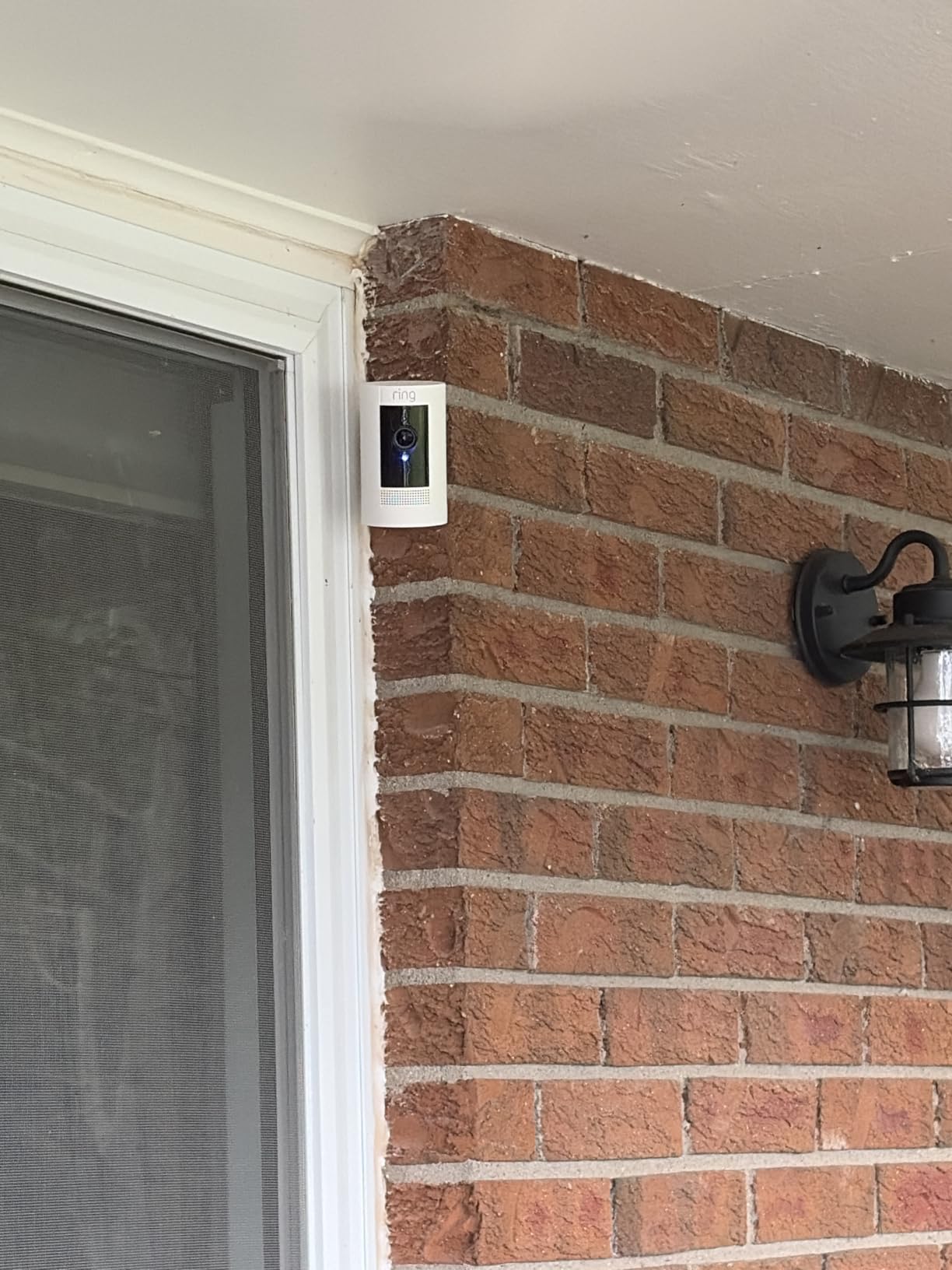
Ring Stick Up Cam Solar Review: Is the Wire-Free Ring Camera Worth Buying?
A hands-on style look at the Ring Stick Up Cam paired with a solar panel: how it looks, how it records, how the power system really behaves, what the subscription costs, and who should (and shouldn’t) put one on their wall.
1. Quick Verdict and What You Get
If you want a security camera that sits outside your home, watches the driveway or backyard, and never needs you to climb a ladder with a charging cable, the Ring Stick Up Cam paired with a solar panel is one of the most convenient setups you can buy from a mainstream brand. It is not the cheapest solar camera on the market, and it is not the one with the sharpest picture. What it offers instead is something many shoppers value more: a polished app, a huge ecosystem, reliable alerts, and a familiar name that most people already trust.
Let’s be clear about what we are actually reviewing. Ring sells the Stick Up Cam in several power versions: plug-in, wired, battery, and a battery model that pairs with a dedicated solar panel. When shoppers search for the “solar” version, they are almost always talking about the battery camera plus the Ring solar panel that trickle charges it. That combination is what this review focuses on, and where we mention features common to the whole Stick Up Cam family we will say so.
A typical bundle includes the camera, a mounting base that doubles as a countertop stand, a wall mount, screws and anchors, a security screw for theft resistance, and a short charging cable. The panel, when included, comes with its own bracket and a cable of a few feet that clicks into the camera. Always read the listing you are buying from, because Ring sells the camera and panel as separate items as well as together, and the contents change from time to time.
Throughout this review we will test the setup against the questions real buyers ask. How good is the picture at night? Does the panel keep the battery full in a cloudy climate? What do you lose if you skip the subscription? And how does it compare with rival solar cameras? If you are still comparing the wider category, our roundup of the best solar security cameras is a good companion read.
Who this review is for
We wrote this for three kinds of readers. The first is the first-time buyer who wants a camera that simply works and does not want to research ten brands. The second is the existing Ring owner wondering whether to add a solar camera to an already working system. The third is the person with a hard-to-wire location, such as a detached garage, a back fence, or a shed, where running a power cable would mean trenching or a contractor. For that third group in particular, solar is not a luxury. It is what makes the camera possible at all.
We also want to be fair about expectations. No wire-free camera replaces a professionally wired system with network video recorders and continuous recording. A battery camera is built around events, which means it wakes up, records a short clip, and goes back to sleep. For the vast majority of households that is exactly what they need, because the goal is to know who came to the door and when, not to archive twenty-four hours of footage of an empty lawn.
Prices and bundles change often, so check the live listing.
2. Specs at a Glance
Before we get into the experience of living with the camera, here is a clean snapshot of what it is built to do. Specs can vary slightly between hardware revisions, so treat this as a guide and confirm the final numbers on the product page before you buy.
| Feature | What to Expect |
|---|---|
| Video resolution | 1080p HD with HDR on supported modes |
| Field of view | Wide angle, roughly 130 degrees diagonal |
| Night vision | Infrared black and white, with color night vision on select modes |
| Audio | Two-way talk with noise cancellation |
| Siren | Built-in, triggered manually or by an event |
| Power | Rechargeable battery, top-up from a solar panel, or plug-in options in the wider family |
| Weather resistance | Rated for outdoor use, with a wide operating temperature range |
| Connectivity | 2.4 GHz and 5 GHz Wi-Fi on recent hardware |
| Storage | Cloud video history through a Ring Protect plan |
| Smart home | Works with Alexa, plus Ring’s own ecosystem |
| Mounting | Wall mount, countertop stand, or angled bracket |
The headline number is the 1080p resolution. In 2020s terms that is perfectly adequate for identifying a person at a door or a car in a driveway, but it will not let you zoom into a license plate across the street the way a 4K camera might. In practice the quality of the sensor, the HDR processing, and the lens matter as much as the raw pixel count, and Ring has tuned the image well.
The other spec worth a second look is the power system. A battery camera lives or dies by how often you need to touch it. The entire point of adding a solar panel is to push that number toward zero, and we will dig into how realistic that is in section 4 and section 9.
What the numbers mean in daily useThe wide field of view is one of the most useful practical specs, since a camera that sees more of your property needs fewer companions. A single well-placed Stick Up Cam can usually cover a front porch, a walkway, and part of a driveway, where a narrower lens might only show the door. Wide lenses do bend straight lines near the edges and make distant objects smaller, which is the trade you accept.
Dual-band Wi-Fi support on newer hardware matters more than people expect. The 2.4 GHz band travels farther and through walls, so it is often the better choice for a camera on an exterior wall. The 5 GHz band is faster but shorter range. Having both options means you can pick the stronger signal at the exact spot you chose, and you can rely on whichever your router handles best. >
3. Design and Build Quality
The Stick Up Cam keeps the compact, rounded look Ring is known for. The camera body is a small white or black housing on an adjustable stand, with a clear front window, a status LED, and a microphone and speaker tucked on the face. It looks deliberately unthreatening, which is nice if you do not want your porch to look like a prison yard, though it is visible enough to deter a casual thief.

The stand and mounting options
The base is more clever than it looks. It can sit on a shelf, screw to a wall, or clamp the camera at an angle under an eave. The ball-and-socket style adjustment lets you aim the lens up, down, or sideways without remounting the whole thing. That sounds like a small detail until you try to cover a driveway from a mounting point you did not choose. Being able to nudge the camera a few degrees is what turns a mediocre view into a useful one.
Weather and durability
Ring rates the camera for outdoor use, and our expectation is that it handles ordinary rain, snow, and summer heat without drama. The charging port sits behind a cover to keep water out. Like all outdoor electronics, the weak points are the cable connections, so when you attach the solar panel, make sure the plug is fully seated and angled so water cannot pool in the connector.
Theft resistance
A small security screw locks the camera to its mount. It will not stop a determined thief with a screwdriver, but it takes away the easy grab-and-run option, and the cloud recording means that even a stolen camera has probably already uploaded the footage of the person taking it. Mounting the camera out of arm’s reach remains the best advice.
Colors, size and curb appeal
The camera comes in a neutral finish that blends with most siding, trim, and brick. It is small enough that a visitor may not notice it until they are close, which can be good or bad depending on whether you want deterrence or discretion. If deterrence is the goal, leave the status light visible and consider a sign or sticker. If discretion matters, mount it under an eave where the shadow hides the body.
The solar panel is the larger visual element. It looks like a small black rectangle on a bracket, and the cable run is the only other visible part. Careful routing makes it look tidy. Run the cable along a corner or trim line, use the clips, and leave a small drip loop so water cannot follow the wire into the connector. These small details also make the install last for years.
Compare colors, bundles, and recent buyer photos.
4. Solar Panel and Power System
This is the section that makes or breaks a solar camera, so it deserves care. A battery camera uses very little power while it sits waiting for motion and a lot more while it records, streams live video, or talks. The solar panel’s job is not to run the camera in real time. It trickle charges the battery during daylight so that the energy you spend on events is replaced for free.
How the panel works
The panel is a small photovoltaic module on its own bracket, connected by a cable that clicks into the camera’s charging port. During the day it feeds a few watts of power into the battery. That does not sound like much, and in absolute terms it is not, but a security camera that only records a handful of short clips per day uses a tiny fraction of that energy. If you want a refresher on the physics, our explainer on how solar lights work covers the same basic idea of photovoltaic cells feeding a rechargeable battery.
Why placement matters more than panel size
A panel in full sun for four hours will outperform a panel in dim shade all day. The best spot is a south-facing wall in the northern hemisphere (north-facing in the southern), clear of tree branches, eaves, and fences. Even a bit of shade across the corner of a panel can cut output noticeably, because small panels have few cells to spare. If your best camera location is shaded, use the longer cable option if one is available so you can place the panel in the sun while the camera sits in the shade.
Battery life without the panel
Without solar help, the battery lasts anywhere from a few weeks to a few months depending on how busy your property is. A quiet side yard might be fine for a long stretch. A camera pointing at a busy street could drain in a few weeks because every passing car can trigger recording. This is why it is smart to tune motion zones and sensitivity right away, which we cover in the setup section.
What happens if the battery runs low
The Ring app notifies you as the battery drops, and you can remove the camera and charge it directly if the panel ever falls behind. Honestly, that is rare once the panel is placed well. Most owners report that after the initial setup, the battery sits near full for months at a time.
Estimating whether solar will keep up
A quick way to judge is to count your daily events. A camera that records ten to twenty short clips a day and sees a few live view sessions will use a modest amount of energy, easily within reach of a decent panel in good sun. A camera that records a hundred clips a day is another story. Every clip wakes the radio, the image sensor, and the processor, and those moments add up. If your count is high, start with fewer motion zones before deciding the panel is the problem.
It also helps to remember that the panel charges the battery, not the camera directly. On a cloudy day the battery simply covers the gap, and on a sunny day the panel refills it. Think of it like a water tank fed by a small tap: as long as the tap runs more than you drain over a week, the tank stays full. Our guide to how a solar powered generator works explains the same charge-store-use cycle at a larger scale.
Check bundles that include the panel and bracket.
5. Video Quality and Night Vision
Ring’s 1080p image is clean, bright, and well balanced. Daytime footage shows accurate color, good dynamic range in tricky lighting such as a bright driveway next to a shaded porch, and enough detail to recognize faces within roughly ten to twenty feet. Beyond that, people turn into shapes, and the wide lens makes distant subjects small. That is a limit of any 1080p wide-angle camera, not a Ring flaw.
HDR and tricky lighting
Outdoor cameras face harsh contrast every day: a bright sky, deep shadow under a porch roof, headlights at night. HDR processing balances those extremes so that a person standing in a doorway is not reduced to a black silhouette. The effect is noticeable in morning and late-afternoon light, when low sun can blow out an unprocessed image.
Night vision
In darkness the camera switches to infrared night vision, giving a clear black-and-white picture out to a comfortable range for a typical yard. Select modes add color night vision using ambient light, which is handy for describing a vehicle or clothing to police. Expect the infrared range to be generous for a front porch and modest for a large backyard. If you need to cover a wide area at night, adding a floodlight or spotlight nearby improves the picture dramatically.
Live view and latency
Tapping Live View in the app takes a few seconds to connect, which is normal for battery cameras that sleep between events to save power. Two-way talk works well for greeting delivery drivers or warning off a stranger, with the usual short delay.
How it compares on picture quality
Newer solar rivals offer 2K or higher resolutions. If you want to see how others stack up, read our comparison of Reolink, Arlo, and Eufy solar cameras, and see how we rated the Eufy SoloCam S340 for a higher-resolution take on the same idea.
| Condition | Performance | Notes |
|---|---|---|
| Bright daylight | Excellent | Sharp, natural color |
| Mixed shadow and sun | Very good | HDR keeps faces visible |
| Dusk and dawn | Good | Some softness, still usable |
| Full darkness | Good | Infrared is clear at close range |
| Heavy rain or fog | Fair | Droplets on the lens reduce detail |
Tips for better footage
Clean the lens every few weeks. Spider webs, dust, and water spots are the most common reason for a hazy picture, and infrared night vision makes webs glow brightly because the light reflects off them. Avoid pointing the camera through a window, since the glass reflects the infrared light straight back and washes out the image. Finally, avoid mounting the camera directly beside a bright porch light, which can blind the sensor at night. A little distance and a slight angle make a big difference.
Also consider the motion clip length. Longer clips give you more context but use more battery and more cloud storage. The default is a reasonable balance for most homes, and you can adjust it in the device settings once you know how busy your property is.
See the latest price and buyer feedback.
6. Setup and Installation
Setup is where Ring has always shone. If you can scan a QR code and type your Wi-Fi password, you can install this camera in twenty to thirty minutes, and most of that time is spent deciding where to put it.
Step one: charge and pair
Start by fully charging the battery indoors if the box says to. Open the Ring app, tap the option to add a device, scan the QR code on the camera, and follow the prompts to join your Wi-Fi network. The app asks you to name the camera and choose its location, such as Front Yard or Driveway, which makes alerts easier to understand later.
Step two: test the Wi-Fi at the exact spot
Before drilling anything, hold the camera at the planned mounting spot and check the signal in the app. A camera with weak Wi-Fi will lag, drop events, and drain its battery trying to reconnect. If the signal is poor, a Wi-Fi extender or a Ring Chime Pro placed between the router and the camera usually fixes it. This single check prevents most complaints about battery cameras.
Step three: mount the camera and panel
Mark the screw holes, drill, insert the anchors, and fix the base. Click the camera onto it and lock the security screw. Mount the panel nearby, facing the sun, and plug it in. Route the cable neatly with the included clips so that it is not an easy target for a passerby.
Step four: tune motion settings
This is the step that separates a good setup from an annoying one. Draw motion zones that cover your porch or driveway but exclude the public street and swaying trees. Choose a motion frequency that fits your property, and enable person detection if your plan supports it so that you are not alerted for every passing cat. Doing this properly helps both your phone and your battery.
Common setup mistakes to avoid
- Mounting before testing Wi-Fi. Always check the signal first.
- Leaving motion zones wide open. Street traffic will flood your phone with alerts.
- Putting the panel in shade. A shaded panel makes the whole solar idea pointless.
- Skipping the firmware update. New firmware improves stability and security.
- Forgetting the security screw. It takes five seconds and deters opportunists.
Give the camera a week of use after installing, then revisit your settings. Look at which events were useful and which were noise, and adjust the zones and sensitivity accordingly. Most owners end up making two or three small tweaks, and after that the system largely runs itself.
Check which bundles include mounts and panel hardware.
7. App, Alerts and Smart Features
The Ring app is one of the best in the business. The home screen shows your devices, a timeline of events, and quick access to Live View. Notifications arrive fast and include a thumbnail so you can decide in a second whether to ignore or investigate.
Motion detection and zones
Custom motion zones, adjustable sensitivity, and schedules let you refine what counts as an event. You can pause alerts during the day while you are home and turn them on overnight, or choose to be notified only about people. That level of control is what makes the camera usable in a busy neighborhood.
Alexa and the Ring ecosystem
Because Ring is an Amazon company, Alexa integration is smooth. You can ask an Echo Show to display the camera, get announcements when motion is detected, and link the camera to other Ring devices. Add a Ring Alarm system and motion at one device can trigger lights, sirens, and recordings elsewhere. If you already own Ring gear, such as the Ring Solar Pathlight, the devices work together and share one app.
Siren and two-way talk
The built-in siren can be triggered from the app and is loud enough to startle someone near the camera. Two-way talk lets you speak to a visitor or deter a trespasser without opening the door.
Sharing and neighbors
You can invite family members as shared users with their own access and notification settings. Ring also has community features that let you share clips with neighbors or police if you choose. These are optional, and we cover the privacy angle in section 10.
Everyday scenarios where it shines
Package deliveries are the classic example. When a courier steps onto the porch, you get an alert with a thumbnail, can tap in to watch live, and can speak through the camera to ask them to leave the parcel behind a planter. Another common scenario is checking on a driveway when you are away from home, to confirm that a family member arrived safely or that a contractor showed up on time.
The timeline view is also handy when you are trying to figure out what set off an alert at three in the morning. You can scroll back, see the clip, and in most cases confirm it was a raccoon rather than a person. That peace of mind is, honestly, what you are paying for.
This camera fits right in.
8. Ring Protect Plan and Running Costs
Here is the part many shoppers discover too late: a Ring camera is heavily tied to a subscription. Without a Ring Protect plan, you still get live view, motion alerts, and two-way talk, but you do not get saved video history. That means no reviewing what happened while you were asleep, no sharing clips, and no person alerts on some tiers.
What the plans typically include
| Capability | No Plan | With Protect Plan |
|---|---|---|
| Live view | Yes | Yes |
| Motion alerts | Yes | Yes |
| Recorded video history | No | Yes |
| Save and share clips | No | Yes |
| Person alerts | Limited or no | Yes on higher tiers |
Pricing is monthly or yearly, with a basic tier per camera and a higher tier covering every Ring device at a location. Check Ring’s current pricing before you buy, since numbers change. Over several years the plan can cost as much as the camera itself, so factor it into the true price.
Is the subscription worth it?
For most people, yes. A security camera that cannot show you what happened is a doorbell with extra steps. If you object to monthly fees on principle, cameras with local storage from other brands are worth a look. Our guide to whether solar security cameras are any good explains the broader trade-offs.
Ways to keep subscription costs down
If you own several Ring devices, the higher tier that covers every device at one address is usually the better value than paying per camera. Annual billing generally costs less than monthly. And if you only need a camera for part of the year, such as a vacation home, you can sometimes pause or change plans. Review the options inside the app, since these details change.
Finally, remember the alternative cost: if you skip the plan, you still pay with missed footage. Weigh that against a rival camera with free local storage, and make the choice with the full picture in front of you. For many buyers, the convenience and ecosystem justify the fee, and for others the subscription is a dealbreaker, which is perfectly reasonable.
Camera price plus a cloud plan is the honest number.
9. Real-World Solar Performance
Solar marketing makes everything sound effortless. The reality is that output depends on where you live, which way the panel faces, and how busy the camera is.
Sunny climates
In regions with plenty of sun, a well-placed panel can keep the battery topped up indefinitely, even with moderate event traffic. This is the dream scenario, and it is why solar cameras are so popular in the southwest and across sunnier latitudes.
Cloudy and northern climates
In gray winters with short days, the panel makes less energy, and a busy camera can slowly drain. You may still get a big improvement over battery only, but you should plan an occasional manual recharge, say once or twice during the darkest months. Reducing motion sensitivity and zone size helps a lot.
Snow and dust
A dusty or snow-covered panel produces far less power. Wipe it every so often and angle it so snow slides off. Small habits like this make the difference between “set it and forget it” and “why is my camera offline?”
Heavy event traffic
If the camera faces a busy road, recording constantly will outpace any small panel. The solution is not a bigger panel but smarter zones, a longer motion delay, or moving the camera to a quieter angle.
If solar power in general interests you, our guide on why solar lights stop working and the piece on how long solar lights last cover many of the same real-world factors: shading, dirt, and battery wear.
A simple seasonal plan
Spring and summer need almost nothing from you. Autumn is the time to clear leaves from the panel and double check the angle. Winter is when you check the battery percentage in the app once a month, and recharge indoors if it dips low. Following this routine keeps even a northern installation running smoothly with only a few minutes of effort a year.
If you are curious about bigger solar installations, such as backup power for your home or campsite, our article is a solar generator worth it is a useful next read.
Pair the camera with a panel and cut your charging chores.
10. Privacy and Security
Any connected camera deserves a hard look at privacy. Ring has faced criticism in the past, and it has since added features such as end-to-end video encryption and stronger account protection.
Protect your account first
Turn on two-step verification, use a unique password, and review who has shared access. Most camera breaches come from reused passwords, not from clever hacking of the device itself.
Encryption and control
Optional end-to-end encryption means only your devices can view your recordings, at the cost of losing a few features. It is worth considering if you are privacy-minded. You can also control community sharing and police request settings in the app.
Point it responsibly
Aim the camera at your own property. Cameras that capture a neighbor’s windows or yard can cause legal and social trouble. Use privacy zones to block those areas, and post a small sign if your local rules or your conscience suggest it.
Know your rights and your neighbors’
Rules about recording differ by country, state, and even homeowners’ association. Video is generally fine on your own property, but audio recording can fall under stricter laws in some places. If the camera records sound, check your local rules and consider disabling audio if the view includes shared spaces. Being a thoughtful neighbor costs nothing and avoids headaches.
Two-step verification takes under a minute to turn on.
11. Pros and Cons
Pros
- Polished app with fast notifications
- Solar charging cuts battery chores
- Flexible mounting and easy setup
- Strong Alexa and Ring integration
- Useful motion zones and person alerts
- Two-way talk and built-in siren
- Rated for outdoor weather
Cons
- Cloud plan needed for recordings
- 1080p trails newer 2K and 4K rivals
- Small panel struggles in dark winters
- Busy locations can drain the battery
- Live view has a short connection delay
- Works best inside Ring and Amazon’s ecosystem
Who should buy it
Buy it if you want a simple, trusted, low-maintenance camera and you already like Ring or Alexa. It suits front porches, driveways, garages, and side yards with decent sun.
Who should skip it
Skip it if you want local storage with no monthly fee, ultra-high resolution, or you live somewhere with weak winter sun and a very busy camera view.
Our balanced take
Every camera is a set of trade-offs, and Ring’s are easy to understand. You pay a bit more, and you pay monthly, in exchange for an app and ecosystem that simply work. If that sounds like a fair deal to you, the Stick Up Cam is among the least stressful ways to add outdoor security. If it sounds like a rip-off, you have excellent alternatives, and that is fine too.
Confirm the current deal before you decide.
12. Alternatives Compared
No review is complete without asking whether something else suits you better. Here is how the Ring Stick Up Cam with solar compares with the typical alternatives shoppers consider.
| Camera Type | Strength | Weakness | Best For |
|---|---|---|---|
| Ring Stick Up Cam + Solar | App polish, ecosystem, easy setup | Subscription, 1080p | Ring and Alexa households |
| Eufy solar cameras | Local storage, no required plan | Smaller ecosystem | Anyone avoiding fees |
| Reolink solar cameras | Higher resolution options | App is less refined | Detail-focused buyers |
| Arlo solar cameras | Great video, premium feel | Pricey plans | Premium shoppers |
If local storage matters, read our Eufy SoloCam S340 review. If you are still shopping around, start with the best solar security cameras roundup and the three-way Reolink vs Arlo vs Eufy comparison.
The bottom line: choose Ring for convenience and ecosystem, choose a rival for storage freedom or resolution.
How to choose in five questions
- Do you already use Ring or Alexa devices? If yes, lean Ring.
- Do you refuse monthly fees? If yes, lean Eufy or Reolink.
- Do you need extra detail? If yes, look at 2K or 4K models.
- How sunny is your location? Dark winters favor larger panels or plug-in power.
- How busy is the view? Busy views need careful zones or wired power.
Answer those honestly and the right camera usually becomes obvious.
Grab the camera and panel together.
Frequently Asked Questions
Does the Ring Stick Up Cam really work with solar power?
Yes. The battery camera connects to a dedicated Ring solar panel that trickle charges the battery during daylight, greatly reducing how often you must recharge by hand.
Do I need a subscription to use it?
You can use live view and receive motion alerts without a plan, but you need a Ring Protect plan to record, store, review, and share video clips.
How long does the battery last without the panel?
It ranges from a few weeks to several months depending on how often motion triggers recording, how long you use live view, and the temperature.
How much sun does the panel need?
A few hours of direct sunlight per day is usually enough for a camera with moderate activity. More shade or heavy activity means less margin.
Is the camera waterproof?
It is rated for outdoor use and handles rain and snow, but you should keep the charging connector seated and avoid submerging it.
Can I use it indoors?
Yes. The stand lets you place it on a shelf or table, so it works as an indoor camera as well.
Does it work with Alexa?
Yes. You can view it on Echo Show devices and receive announcements when motion is detected.
Is the video quality good enough to identify people?
At typical porch and driveway distances, 1080p HD footage is clear enough to recognize faces and describe vehicles, though distant details are limited.
Can the camera be stolen easily?
A security screw makes casual theft harder. Mount it high and out of reach for the best protection, and rely on cloud recordings as a backup.
Will it work with my Wi-Fi?
It needs a stable Wi-Fi signal at the mounting spot. Test the signal before drilling, and use an extender or Ring Chime Pro if it is weak.
What if my area gets little winter sun?
Expect to recharge the battery manually once in a while, and reduce motion sensitivity to save energy.
Is it better than other solar cameras?
It is better for app polish and ecosystem. Some rivals beat it on resolution and offer local storage without fees, so choose based on your priorities.
Conclusion
Maintenance that keeps it reliable
A solar camera asks for very little, but a few habits pay off. Wipe the solar panel and the lens with a soft damp cloth a few times a year. Check that the mounting screws are still tight after storms, since wind can loosen hardware over time. Keep the firmware current by letting the app install updates when prompted. And glance at the battery level whenever you open the app, which takes two seconds and prevents surprises.
If the camera ever goes offline, the usual culprits are the Wi-Fi, the router, or a very low battery. Restart the router, move closer to confirm the signal, and recharge the battery. Persistent problems are worth a chat with Ring support, who are generally responsive.
Common questions from owners
New owners often ask whether the camera records continuously. It does not; it records motion events and live sessions. They ask whether it can run on solar alone with no battery. It cannot; the battery is essential, and the panel simply maintains it. And they ask whether more than one camera can share a panel. Each camera uses its own panel, so plan on one panel per camera.
Buying checklist
- Confirm the listing includes the camera, panel, and mounts you want.
- Test the Wi-Fi signal at the mounting spot.
- Choose a sunny, unobstructed place for the panel.
- Budget for a Ring Protect plan.
- Set motion zones and sensitivity on day one.
- Turn on two-step verification for your Ring account.
Work through that list and you will avoid ninety percent of the problems owners run into. It turns an average install into a dependable one, and it makes the solar panel earn its keep from the very first week of use.
The Ring Stick Up Cam paired with a solar panel is a confident, well-rounded choice for anyone who wants a wire-free outdoor camera without constant babysitting. It does the basics very well: a clear 1080p picture, reliable alerts, a flexible mount, and an app that makes everything easy. The solar panel genuinely reduces how often you will recharge, especially in sunny climates with sensible motion settings.
The trade-offs are honest ones. You will probably want a Ring Protect plan, the resolution is not cutting edge, and a dark, cloudy winter can still demand an occasional manual top-up. If those points do not bother you, this is a camera that is easy to recommend, particularly if your home already runs on Ring or Alexa.
If you are ready to make the call, check the current price below and put the camera where it matters most.
Compare bundles and confirm today’s price.