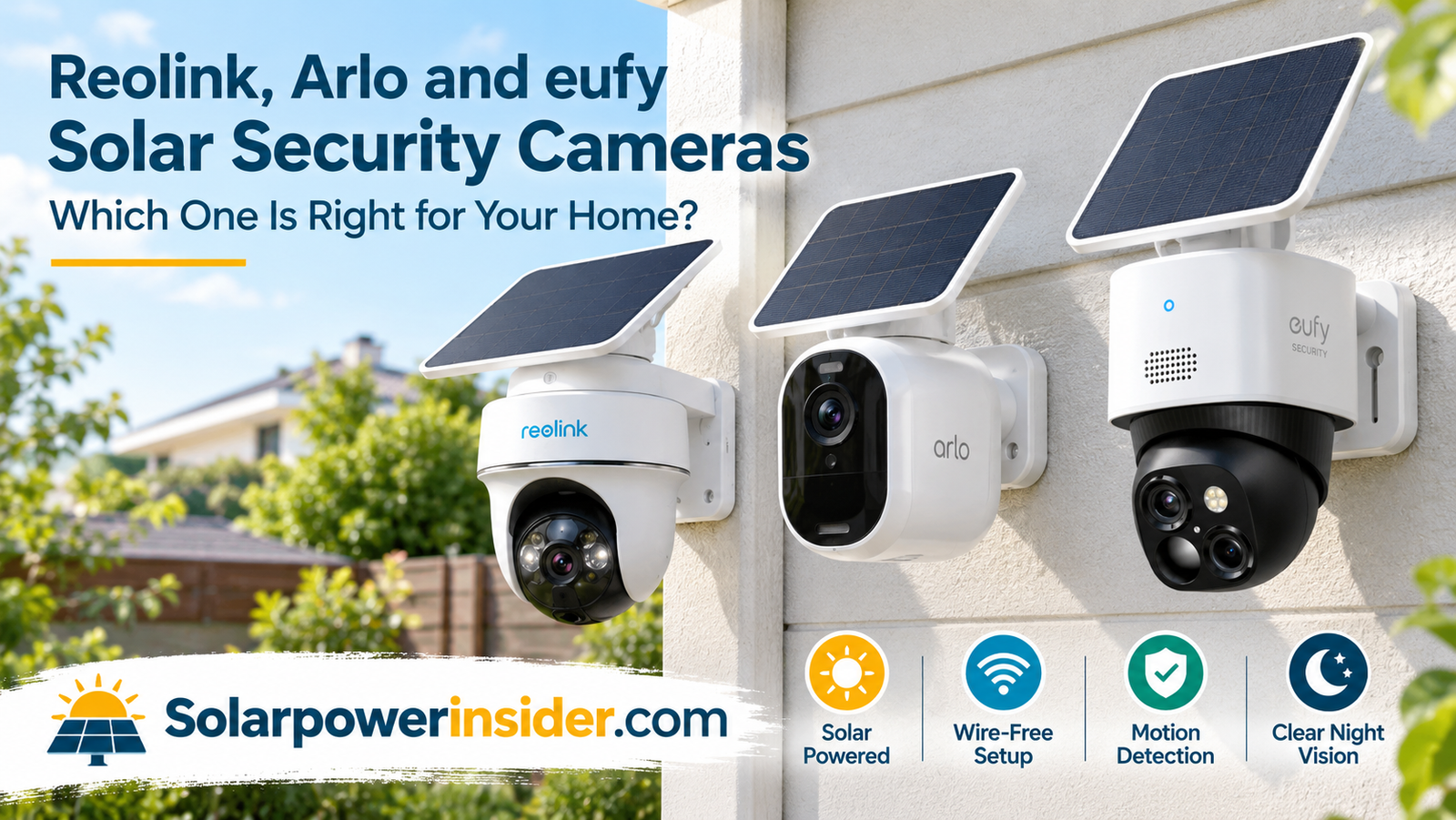
Reolink vs Arlo vs eufy Solar Cameras: Which Brand Actually Earns a Spot on Your Wall?
A hands-on style, no-fluff breakdown of picture quality, solar charging, subscriptions, smart alerts and long-term value, so you can pick the right wire-free camera the first time.
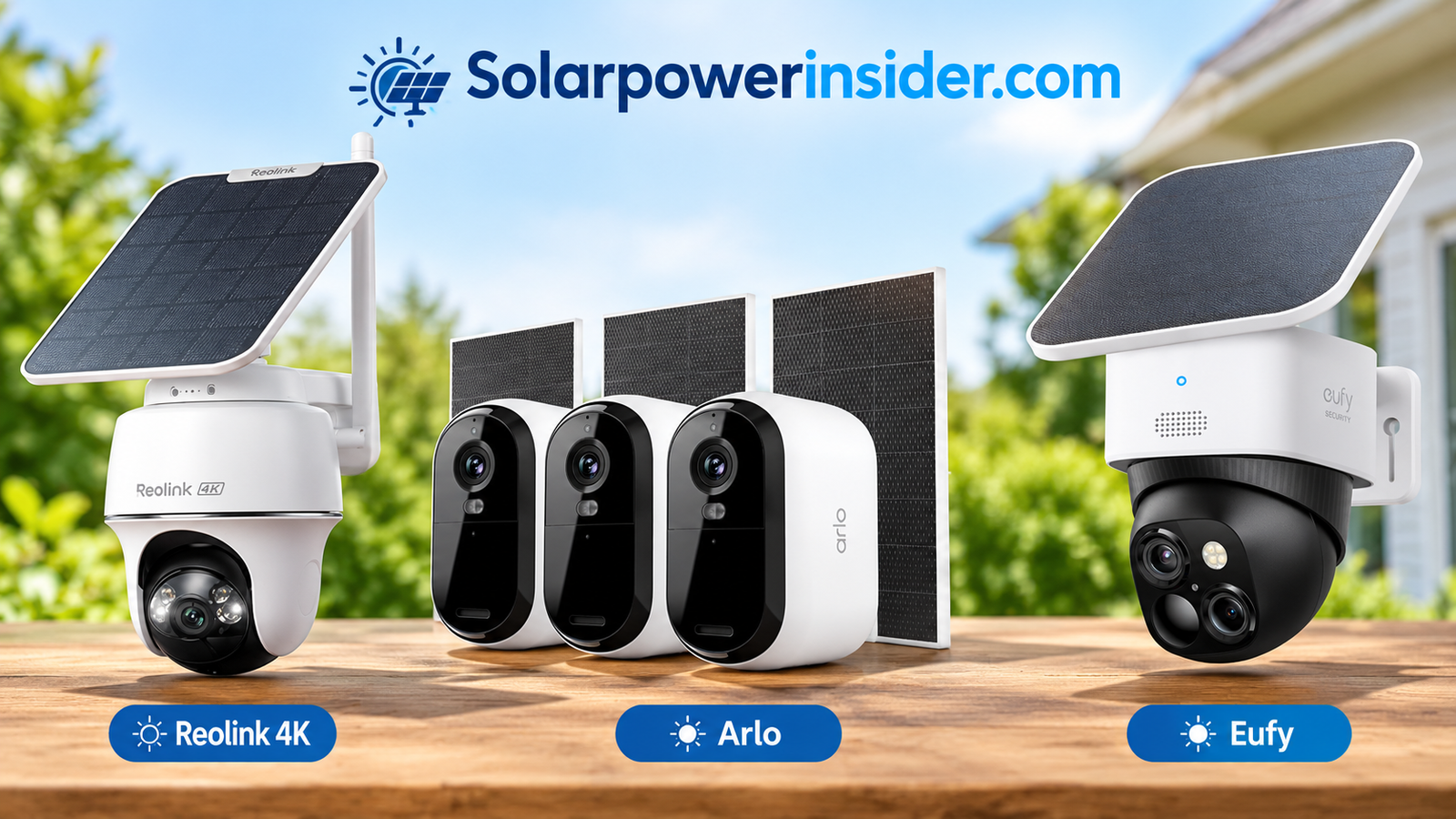
1. The Quick Verdict: Reolink vs Arlo vs eufy at a Glance
If you only have two minutes, here is the short version. Reolink is the value and flexibility pick: strong resolution for the money, microSD recording, no required subscription and a huge range of models that includes pan-and-tilt and long-battery options. Arlo is the polished, cloud-first ecosystem: slick app, excellent alerts, great integrations, but the best features sit behind a monthly plan. eufy lands in the middle and leans hard on local storage, privacy-minded marketing and clean hardware, with a solid solar panel story that makes “set it and forget it” realistic.
None of these brands is universally “best.” Your wall, your Wi‑Fi, your budget and how you feel about monthly fees decide the winner. We will walk through every one of those factors below, and if you want the wider market picture first, our roundup of the best solar security cameras puts these three alongside several lesser-known competitors.
| Category | Reolink | Arlo | eufy |
|---|---|---|---|
| Best known for | Value and variety | App polish and cloud features | Local storage and clean design |
| Typical price tier | Budget to mid | Mid to premium | Mid |
| Recording | microSD, optional cloud | Cloud first, subscription for full use | Onboard or base station local storage |
| Solar panel | Included or sold as a bundle on many models | Sold as an add-on accessory | Included on many solar bundles |
| Monthly fee required? | No | Effectively yes for smart alerts and history | No |
| Best for | Value hunters, rural properties | Smart homes, hands-off families | Privacy-first buyers |
Want to see current pricing across all three brands?
Compare Solar Cameras on Amazon2. What a Solar Security Camera Really Needs to Succeed
Before comparing logos, it helps to understand what makes a solar camera work in the real world. A solar security camera is simply a battery-powered, wireless camera with a small photovoltaic panel that trickles energy back into the battery whenever there is daylight. The panel does not run the camera directly in most designs. Instead, it offsets whatever the camera consumes, so the battery stays topped up and you never have to climb a ladder to charge it.
That sounds simple, but the math matters. A camera that wakes only when motion is detected sips power, and a modest panel can easily keep up. A camera that records constantly, streams live view all day or sits in a spot with heavy shade will drain faster than the sun can refill it. The result is a battery that slowly sinks over weeks until the camera goes offline right when you need it. If you want a deeper primer on that tradeoff, our guide on whether solar security cameras are any good covers the strengths and limits honestly.
The five things that decide whether a solar camera works for you
- Sun exposure: a few hours of direct light per day is the practical minimum. North-facing walls, deep eaves and tree cover cut charging sharply.
- Wi‑Fi strength: weak signal forces the radio to work harder, which burns battery. Poor Wi‑Fi is the most overlooked cause of “my solar camera keeps dying.”
- Activity level: a camera facing a busy street will wake hundreds of times a day. One facing a quiet backyard may wake a handful of times.
- Climate: very cold weather reduces battery capacity, and long grey winters reduce solar harvest at the same moment.
- Settings discipline: shorter clips, sensible motion zones and sensitivity tuning extend runtime more than any hardware upgrade.
How we judged the three brands
For this comparison we looked at eight practical areas: picture quality, night vision, solar charging behavior, smart detection, storage and ongoing cost, installation, app experience and long-term reliability. We weighted real ownership costs more than spec-sheet bragging, because a slightly sharper image matters far less than whether the camera is still online and recording in month fourteen.
It is also worth noting that all three brands sell many different models, and specs change often. Treat the model-specific notes below as representative of each brand’s approach, and always confirm the latest details on the product page before you buy.
A quick placement checklist before you compare models
Walk your property at midday and note which walls, fence posts and eaves actually receive direct light. Then stand in each of those spots with your phone and run a Wi‑Fi speed test. The best location is the one that passes both tests, not simply the one with the nicest view. Many frustrated owners skip this step, mount the camera where it looks best, and then blame the brand when the battery sags. A ten-minute walk-through can save you from buying the wrong camera type entirely, because it tells you whether you need a long-range pan-tilt model, a compact fixed camera or a unit with a cable that lets the panel sit in a sunnier spot than the lens.
It also helps to decide what you want the camera to do. Deterring package thieves at a front door is a very different job from watching a distant gate. A doorstep camera needs quick alerts and good close-range clarity, while a gate camera needs a narrow, zoomed view and long battery life between motion events. Write down your top two goals and keep them in mind as you read the brand-by-brand sections that follow.
Need a camera with a solar panel included in the box?
Browse Solar Camera Bundles3. Reolink Solar Cameras: The Value and Flexibility Champion
Reolink built its reputation by giving buyers a lot of camera for not a lot of money, and the solar lineup follows the same formula. The range runs from compact battery cameras to pan-and-tilt units with wide coverage, and many models can be bought with a matching solar panel in the same box. Higher-end entries add features such as sharper sensors, color night vision with a spotlight, and even cellular variants for properties with no Wi‑Fi at all.
What Reolink does best
The headline advantage is storage freedom. Most Reolink battery cameras accept a microSD card, so your footage sits on a card inside the camera and you pay nothing each month. Cloud storage exists as an optional extra, but it is not required to use the camera properly. For anyone who dislikes recurring fees, that single fact can swing the decision.
Reolink also gives you variety. Want a fixed camera for a front door? There is a model for that. Want a pan-and-tilt unit that covers a wide yard? There is one of those too. Need to monitor a remote cabin or construction site with no internet? Cellular-capable options exist. That breadth is hard to match, and it makes Reolink particularly attractive for farms, vacation properties and rural homes.
Where Reolink can frustrate
The app is functional and capable, but it is less polished than Arlo’s. Menus can feel dense, and some advanced settings are buried. Notification speed is generally fine, yet it can lag the very best cloud systems because the camera has to wake, connect and then push the alert. Build quality is solid, though the plastic and panel mounts feel more utilitarian than premium.
There is also a learning curve around power management. Reolink gives you plenty of tuning options, such as recording length, motion sensitivity and scheduling, and getting them right takes a little patience. The reward is excellent battery life once dialed in.
✅ Reolink Pros
- Strong resolution for the price
- microSD recording with no required plan
- Wide model variety including pan-tilt and cellular
- Solar panel bundles are common and affordable
- Flexible power and recording controls
⚠️ Reolink Cons
- App feels less refined than rivals
- Smart detection is capable but less nuanced
- Alert speed can trail cloud-first brands
- Hardware looks and feels more functional than premium
Who should buy Reolink? Value-focused homeowners, anyone with a large or remote property, and buyers who want to avoid subscriptions entirely.
See Reolink solar camera options and current prices.
Shop Reolink Solar Cameras4. Arlo Solar Cameras: The Polished Cloud Ecosystem
Arlo was one of the first brands to make wire-free cameras mainstream, and it still feels like the most “finished” product of the three. The apps are fast, the interface is clean, and features such as person, vehicle, animal and package detection are tightly integrated. Arlo’s solar approach is a little different from the others: the panel is typically a separate accessory that clips onto the camera’s charging connection, so you buy the camera and the panel as two items.
What Arlo does best
Arlo’s strength is the experience. Notifications arrive quickly, thumbnails are rich, and the timeline makes it easy to scrub through the day. Cloud storage means footage is safe even if a thief steals the camera, which is a real advantage when a camera is mounted in an easily accessible place. Integrations with Alexa, Google Assistant, Apple HomeKit on supported models and various smart-home platforms are broad and reliable.
Arlo also tends to lead on thoughtful hardware extras: integrated spotlights, two-way audio with good noise handling, and sirens that you can trigger remotely. If you want a camera that feels like part of a smart home rather than a gadget, Arlo is the easiest sell.
Where Arlo costs you
The tradeoff is money, both upfront and ongoing. Arlo cameras generally cost more than comparable Reolink or eufy models, and the best features, including smart alerts, extended cloud history and rich notifications, rely on an Arlo Secure plan. Without a plan you get basic functionality, which can feel like a stripped-down experience. Over several years, subscription costs can match or exceed the price of the camera itself, especially if you run multiple cameras.
Another consideration is that solar is optional and sold separately, so your true entry price is higher than the sticker suggests. The panels work well, but you should budget for them from the start.
✅ Arlo Pros
- Best-in-class app speed and polish
- Excellent smart detection when subscribed
- Cloud backup protects footage from theft
- Broad smart-home integrations
- Useful extras such as siren and spotlight
⚠️ Arlo Cons
- Higher purchase price
- Meaningful features need a subscription
- Solar panel is a separate purchase
- Ongoing cost grows with each camera
Who should buy Arlo? Households that value a seamless experience, rely on smart-home routines, and are comfortable paying a monthly plan for convenience.
Check Arlo cameras and compatible solar panels.
Shop Arlo Solar Cameras5. eufy Solar Cameras: Local Storage Meets Clean Design
eufy, the security arm of Anker, has carved out a loyal following by promising local storage and no mandatory monthly fees while still delivering hardware that looks and feels refined. The solar story is particularly strong: many eufy cameras are sold as bundles with a panel, and the company markets the idea that a few hours of daily sun is enough to keep the camera running indefinitely.
What eufy does best
Two things stand out. First, local storage. Depending on the model, footage is saved to onboard memory or to a base station that sits inside your home, which means your clips stay under your roof and there is no plan required to watch them. Second, the overall package: clean industrial design, a friendly app, strong night vision and sensible default settings. For a first-time buyer who wants a camera that simply works, eufy is a very safe recommendation.
If you are curious about a specific popular model, our hands-on eufy SoloCam S340 review digs into the dual-camera design and how its solar panel behaves day to day. It is a good example of how eufy approaches the category.
Where eufy falls short
eufy’s ecosystem is somewhat smaller than Arlo’s, with fewer smart-home integrations and a more limited range of unusual form factors than Reolink. Some advanced AI features are decent but not best-in-class, and there have been public discussions about cloud and privacy practices in the past that make some buyers cautious, even though the brand has since pushed its local-first positioning. As always, review current privacy settings and keep firmware updated.
✅ eufy Pros
- Local storage without required subscriptions
- Solar bundles are common and well matched
- Excellent, friendly app
- Strong night vision and image quality
- Premium look at a fair price
⚠️ eufy Cons
- Fewer smart-home integrations than Arlo
- Narrower product variety than Reolink
- Past privacy controversies worry some buyers
- Some models rely on a base station
Who should buy eufy? Buyers who want a polished, low-maintenance camera, prefer local storage, and want solar included without hunting for compatible accessories.
Explore eufy solar-powered cameras and bundles.
Shop eufy Solar Cameras6. Solar Charging Compared: Which Panel Keeps the Battery Alive?
This is the heart of the comparison, because the whole reason to buy a solar camera is to stop thinking about charging. All three brands use small panels that deliver a few watts in ideal sun, which is enough to offset typical camera consumption but not enough to rescue a badly configured setup.
Panel packaging and convenience
Reolink and eufy both make it easy to buy a camera and panel together, so the question of compatibility is already solved. Arlo’s separate accessory means you need to check that the panel matches your exact camera model, but once attached, it works well. In every case, the panel connects to a charging port protected by a weather-resistant cover or cable, and you should make sure that cover is seated properly after installation.
Real-world harvest and mounting
A panel only helps when it sees the sun, and that is a mounting problem more than a brand problem. The best setup places the camera where you need coverage and angles the panel, often on an adjustable bracket or a short cable, toward the sunniest direction. Reolink and eufy frequently ship with extension cables and flexible mounts that make this easy, which is a practical advantage when the ideal viewing angle and ideal sun angle do not match. Arlo’s panel clips closer to the camera, so you have less flexibility, but it is tidy and low-profile.
If you want to understand the physics behind panel output, our explainer on how solar lights work covers the same basic photovoltaic principles, from sunlight hitting the cells to energy being stored in a rechargeable battery.
| Solar factor | Reolink | Arlo | eufy |
|---|---|---|---|
| Panel availability | Bundles and separate panels | Separate accessory | Frequently bundled |
| Mounting flexibility | High, with extension cable options | Moderate, compact clip-on | High, adjustable mount and cable |
| Best in low sun | Good with tuned settings | Good with efficient wake behavior | Good, benefits from large battery models |
| Hands-off potential | High once configured | High, relies on subscription for smart trimming | Very high out of the box |
The honest limit of every solar camera
No brand beats a dark, shaded or cold location. If your wall gets two hours of weak winter light and the camera sees traffic all day, you may still need to top up the battery occasionally. The good news is that every one of these cameras can be recharged by cable, and the solar panel dramatically stretches the interval between charges. Treat solar as a very effective battery extender, and you will not be disappointed.
Three realistic placement examples
A sunny south-facing garage wall: this is the dream scenario. Any of the three brands will stay topped up almost indefinitely, even with moderate activity, so choose on features and cost.
A covered front porch: the camera needs to see the door, but the porch roof blocks the sun. Reolink and eufy shine here because their cable-connected panels can be mounted on a post or roofline away from the shade. Arlo’s clip-on panel is harder to relocate, so you may need a different mounting plan.
A back fence near trees: dappled light can be deceptive, because a panel that gets patchy sun may collect far less energy than the hours suggest. Here, a larger battery and conservative recording settings matter more than the brand name, and you should expect to charge manually once or twice a year.
Add or upgrade a solar panel for your camera.
Shop Camera Solar Panels7. Video Quality and Night Vision: Who Shows the Sharpest Picture?
Picture quality is where most buyers focus, and understandably so. A camera that cannot identify a face or read a license plate has failed at its core job. The three brands approach quality differently, and resolution alone does not tell the full story.
Resolution and sensor tuning
Reolink often leads on raw resolution at a given price, with many models offering sharp detail that rivals far more expensive cameras. eufy typically offers high resolution with excellent processing, producing clean, natural-looking images with strong dynamic range. Arlo emphasizes consistent, well-balanced video with good color and low noise, even if the pixel count is not always the biggest number on the box.
Remember that more pixels also mean larger files, higher bandwidth use and potentially more battery consumption when streaming. A sensible resolution with excellent processing can beat a higher number on a spec sheet.
Night vision: infrared versus color
Most solar cameras offer infrared night vision that produces a black-and-white image, and many also include a spotlight for color footage at night. Color night vision is helpful because it reveals clothing colors and vehicle details, but spotlights use extra power and can alert a trespasser that they have been seen, which is either a feature or a drawback depending on your goal.
Reolink and Arlo both offer spotlight-equipped models, and eufy includes spotlights and enhanced low-light sensors on several cameras. In practice, all three produce usable night footage within their stated range, and differences show up mainly at the edges of that range and in how well the camera handles glare from nearby lights.
| Video feature | Reolink | Arlo | eufy |
|---|---|---|---|
| Resolution strength | Often highest for the price | Balanced and consistent | High with strong processing |
| Night modes | Infrared and color with spotlight | Infrared and color with spotlight | Infrared and color with spotlight |
| Field of view | Wide on many models, plus pan-tilt | Wide, well corrected | Wide, plus dual-lens designs |
| Live view speed | Good | Very quick | Good to very good |
| Two-way audio | Yes on most | Yes, high quality | Yes on most |
Field of view and coverage
Coverage matters as much as clarity. Reolink’s pan-and-tilt options can cover a wide area with a single camera, which is wonderful for big yards. eufy’s dual-camera designs combine a wide lens with a zoomed lens, letting you see the whole scene and a detailed close-up at once. Arlo’s wide lenses are well corrected, giving a natural look without heavy fisheye distortion. Match the camera type to your layout: a fixed wide lens for a porch, a pan-tilt unit for a large open yard.
Find high-resolution wire-free cameras with night vision.
See High-Res Camera Deals8. Smart Detection and Alerts: Fewer False Alarms, Faster Answers
A security camera that sends a notification every time a leaf blows past is worse than useless, because you learn to ignore it. Smart detection is what turns a motion sensor into a genuinely helpful tool, and this is one area where the three brands diverge noticeably.
Arlo: refined classification
Arlo’s subscription unlocks rich detection of people, vehicles, animals and packages, with notifications that tell you exactly what was seen. The accuracy is excellent, and the rich thumbnails let you decide in a glance whether to open the app. This is the main reason many users happily pay for the plan: fewer false alarms and a more informative alert feed.
eufy: on-device intelligence
eufy runs a good deal of its AI on the device or base station, which supports its local-first promise. Human detection is generally reliable, and many models offer facial recognition features, which some people love and others avoid. Because processing happens locally, there is no required plan to enjoy basic smart detection.
Reolink: capable and customizable
Reolink supports person, vehicle and pet detection on many models, and its strength is configurability. You can draw detection zones, adjust sensitivity and set schedules to shape alerts around your environment. It may take more initial tuning than the others, but the flexibility is real, and the results can be very good after a little experimentation.
Tuning tips that work on every brand
- Draw detection zones to exclude roads, trees and neighboring yards.
- Lower sensitivity first, then raise it only if you miss events.
- Use shorter recording lengths to protect battery life.
- Schedule quieter hours so routine movement does not trigger alerts.
- Disable constant spotlight triggering unless you truly need it.
These adjustments often extend runtime far more than a bigger panel would, which connects directly to the earlier point about solar being a battery extender, not a miracle.
Notification timing in the real world
Alert speed is easy to overlook until a delivery driver has already left the porch. Cloud-first systems such as Arlo typically push a notification with a thumbnail within seconds. Local-storage systems may take a moment longer because the camera wakes, connects, records and then sends the alert. For most people the difference is small, but if your goal is to catch a person in the act and respond quickly, test the timing during the return window and make sure you are satisfied with it.
Also consider alert fatigue. A household with several cameras can receive dozens of notifications a day, so use quiet hours, group alerts where the app allows and reserve push notifications for people and vehicles. A calmer feed means you will actually look at the alerts that matter.
Look for cameras with person and vehicle detection.
Shop Smart Detection Cameras9. Storage, Subscriptions and the True Cost of Ownership
This section often decides the winner. A cheap camera with an expensive plan can cost more over time than a pricier camera with free storage, so it pays to think in multi-year terms rather than looking only at the checkout price.
How each brand stores your footage
Reolink leans on microSD cards inside the camera and optional cloud plans. eufy stores footage locally on the camera or on a base station, with optional cloud features. Arlo uses the cloud as its primary home for recordings, with limited functionality unless you subscribe. Each approach has tradeoffs: local storage keeps your data private and avoids fees, but footage can vanish if the camera is stolen or the card fails. Cloud storage protects against theft but adds monthly costs and depends on internet connectivity.
A simple three-year cost model
Consider a household with three cameras. Reolink and eufy can run with a one-time hardware purchase plus inexpensive microSD cards. Arlo requires a hardware purchase plus a plan, so after three years the plan alone can equal the price of several cameras. Exact prices change, so check the current plan details, but the principle holds: the more cameras you add, the more the subscription model matters.
| Cost factor | Reolink | Arlo | eufy |
|---|---|---|---|
| Upfront camera price | Lowest | Highest | Middle |
| Solar panel cost | Often bundled or inexpensive | Usually extra | Often bundled |
| Required subscription | No | Practically yes for full features | No |
| Storage add-ons | microSD card | Cloud plan | Included memory or base station |
| Long-term value | Excellent | Good if you value convenience | Excellent |
Backup strategies if you go local
If you choose a local-storage brand, consider a second layer of protection. Mount the camera high and out of easy reach, enable cloud backup for just the most critical camera if the brand offers a low-cost option, and periodically test that recordings are saving correctly. A card that silently fills or fails is a classic way to discover a gap in coverage at the worst possible moment.
Power is a cost, too, in a different sense. If you are also thinking about keeping lights, cameras and gadgets running during outages, our guide to what size solar generator you need shows how to plan backup energy for a whole home setup.
Grab a high-endurance microSD card for local recording.
Shop microSD Cards10. Setup, App Experience and Smart Home Compatibility
Getting a camera onto the wall is the part that separates a satisfying purchase from a frustrating one. Fortunately, all three brands have made wire-free installation approachable, and most people can finish a single camera in under half an hour.
Installation experience
Every camera in this comparison mounts with screws or an adhesive plate, connects to your home network through a phone app, and pairs with a solar panel through a short cable or direct connection. Reolink and eufy usually include the mounting hardware, a cable and sometimes a template in the box. Arlo’s accessories are well designed but sold separately, so inspect what you actually receive before climbing a ladder.
A reliable setup sequence helps regardless of brand. Charge the battery fully first, pair the camera while standing near your router, then move to the final spot and test the signal from the app before you drill. If the signal bar is weak, add a Wi‑Fi extender or choose a different position. Doing this one check saves hours of troubleshooting later.
App quality and daily usability
Arlo’s app is the benchmark for speed and clarity. eufy’s app is friendly and uncluttered, with logical menus and helpful prompts. Reolink’s app has improved significantly and offers more raw control, but it asks a little more of you. If you plan to hand the system to a less technical family member, Arlo or eufy will probably feel more welcoming, while a tinkerer will enjoy Reolink’s depth.
Smart home and voice assistant support
Arlo is the strongest here, with wide support for Alexa, Google Assistant and several automation platforms. eufy supports the major voice assistants on many models, and Reolink offers a more limited but growing set of integrations, plus standards-friendly options on certain cameras that appeal to advanced users. If you already run a smart-home routine that includes displays showing camera feeds, double-check that your chosen model is supported before purchasing.
| Experience factor | Reolink | Arlo | eufy |
|---|---|---|---|
| Setup difficulty | Easy to moderate | Easy | Easy |
| App polish | Good, dense | Excellent | Very good |
| Voice assistant support | Limited to moderate | Broad | Moderate to broad |
| Advanced tuning | Deep | Moderate | Moderate |
| Family sharing | Supported | Strong | Supported |
Powering the rest of your outdoor setup with sunshine is a natural next step. If you are already thinking about lighting along your walkways, our picks for the best solar lights for garden pair nicely with a camera watching the same area.
Pick up a mounting kit or Wi‑Fi extender to make installation easier.
Shop Mounts and Extenders11. Durability, Weather Resistance and Privacy
An outdoor camera has to survive rain, heat, frost and the occasional curious raccoon. It also holds a window into your home, so how a company handles your data matters as much as how well the housing holds up.
Weather ratings and build
All three brands rate their outdoor cameras for weather resistance, and in practice that covers heavy rain and dusty conditions for typical models. Look for an ingress protection rating on the specific product you plan to buy, and make sure the solar charging port cover is closed securely. Extreme cold lowers battery capacity regardless of brand, so if you live where winters are harsh, choose a model with a large battery and plan on occasional manual charging during the coldest months.
Build feel differs. Arlo hardware tends to feel premium and tightly finished. eufy’s cameras look modern and solid. Reolink’s are sturdy and practical, with a slightly more utilitarian finish. None of them will fall apart in normal use, and the real durability risks are poor mounting and unprotected cables.
Security of the camera itself
Treat any internet-connected device as a potential target. Use a unique, strong password, enable two-factor authentication where offered, keep firmware updated and avoid exposing the camera to the internet through risky workarounds. Mount the camera out of arm’s reach, and consider a cable lock or hidden panel cable so the hardware cannot be easily removed.
Privacy philosophies
Arlo’s cloud model means your footage is stored on company servers, protected by encryption and account security, but still outside your home. eufy emphasizes local storage, which many people prefer, though buyers should read current privacy policies and settings because the company has faced scrutiny in the past. Reolink’s microSD approach keeps recordings local by default, with optional cloud features if you choose to enable them. Whichever brand you pick, review which features send data off the device and disable anything you do not need.
Cameras are only part of a resilient home. If you want your security system, router and phone chargers to keep working during a blackout, see how a best solar powered generator can keep essentials alive, or review our roundup of options in Bluetti vs Jackery vs EcoFlow to compare the major power station brands.
Add a lockable mount and weather-resistant cable cover.
Shop Camera Protection12. Which One Should You Buy? Pick the Winner for Your Situation
After weighing picture quality, solar behavior, smart features, storage and cost, the answer comes down to what you value most. Here are the most common buyer profiles and the brand that fits each one best.
Choose Reolink if you want maximum value or a remote setup
If you want sharp video for the least money, enjoy tuning settings, or need coverage for a big or off-grid property, Reolink is hard to beat. The microSD recording and absence of required fees keep long-term costs minimal, and the variety of models, including pan-tilt and cellular options, means you can find a camera for almost any location.
Choose Arlo if you want the smoothest experience
If you want an app that feels effortless, rich notifications, strong smart-home integration and cloud backup against theft, Arlo is the premium pick. Accept that you will pay more up front, buy the solar panel separately and likely subscribe. For many busy households, that is a fair price for convenience and peace of mind.
Choose eufy if you want the balanced, low-maintenance option
If you want clean design, strong video, local storage and solar included without hassle, eufy is the sweet spot. It suits first-time buyers and privacy-minded households who want something dependable that does not demand constant fiddling.
Scenario-based recommendations
| Your situation | Best brand | Why |
|---|---|---|
| Tight budget, several cameras | Reolink | Lowest cost per camera and no required plan |
| Large rural property | Reolink | Pan-tilt and cellular options for wide coverage |
| Smart home with voice routines | Arlo | Broadest integrations and fastest app |
| Worried about theft of the camera | Arlo | Cloud backup keeps clips safe |
| First-time buyer wanting simplicity | eufy | Easy setup and solar often included |
| Privacy-first household | eufy or Reolink | Local storage by default |
| Rental or short-term use | eufy or Reolink | No ongoing commitment |
Our overall ranking
Best value Reolink Best experience Arlo Best all-rounder eufy
If we had to hand one camera to a friend with no strong preferences, it would be a eufy solar bundle for its blend of simplicity and zero required fees. If that friend was on a strict budget or needed to cover a big space, we would point them to Reolink. And if they lived in a smart home and hated fiddling, Arlo would be the easy recommendation, with the monthly plan clearly understood in advance.
Looking beyond these three brands? Our guide to the Ring Stick Up Cam Solar review shows how another well-known competitor stacks up, and the full Reolink vs Arlo vs eufy solar cameras comparison hub has a quick reference for model families.
A few mistakes to avoid whichever brand you choose
- Buying on resolution alone: a sharper sensor means little if the camera keeps dropping offline because of weak Wi‑Fi.
- Ignoring the subscription math: multiply any monthly plan by the number of cameras and the number of years you expect to keep them.
- Mounting too low: cameras within easy reach are easy to steal, cover or tamper with. Aim for roughly eight to ten feet where practical.
- Leaving defaults untouched: motion zones and sensitivity settings are the biggest lever on both battery life and alert quality.
- Forgetting maintenance: wipe the panel every month or two so dust, pollen and bird droppings do not quietly cut charging.
Ready to choose? Compare current deals and bundles.
Find Today’s Best DealsFrequently Asked Questions
Which is better: Reolink, Arlo or eufy solar cameras?
It depends on your priorities. Reolink offers the best value and flexibility, Arlo delivers the most polished app and smart-home integration but relies on a subscription for full features, and eufy balances easy setup, local storage and solar bundles. For most buyers who want simplicity without fees, eufy is the safest all-rounder.
Do solar security cameras work in winter?
Yes, but with lower charging. Short days, low sun angle and cold temperatures reduce both solar harvest and battery capacity. Choosing a large-battery model, aiming the panel at the sunniest direction and trimming recording lengths will keep most cameras running through winter, though occasional manual charging may be needed in very harsh climates.
Does Arlo require a subscription for solar cameras?
An Arlo camera will work without a plan, but advanced features such as smart notifications, longer cloud history and richer alerts rely on an Arlo Secure plan. If you dislike monthly fees, Reolink or eufy are better matches.
Do Reolink and eufy charge monthly fees?
Neither requires a monthly fee for normal use. Both let you store footage locally, either on a microSD card or in built-in or base-station memory. Optional cloud plans exist if you want offsite backup, but they are not mandatory.
How many hours of sun does a solar camera need each day?
A few hours of direct sunlight per day is a practical target for typical usage. Cameras that see little activity may manage with less, while busy locations or cameras with spotlights and long clips need more. If the panel is shaded most of the day, expect the battery to decline over time.
Can a solar camera work without Wi‑Fi?
Most solar cameras need Wi‑Fi to send alerts and live video. Some Reolink models offer cellular connectivity for locations without internet, and cameras with local storage can record without a connection, but you will not receive remote notifications until the camera reconnects.
Which brand has the best night vision?
All three offer capable infrared and color night modes on their better models. Reolink often delivers strong detail for the price, eufy produces clean low-light images, and Arlo delivers consistent, well-balanced footage. Differences are small, and your camera placement and lighting matter just as much.
Will a solar camera drain its battery if I use live view a lot?
Frequent live viewing is one of the biggest battery drains, because the camera stays awake and streams video. Occasional checks are fine, but constant monitoring can outpace a small panel. If you want continuous viewing, consider a wired or plugged-in camera instead.
Are solar security cameras worth it compared with wired cameras?
They are worth it when running power cables is difficult or expensive, such as on sheds, gates, driveways and fences. Wired cameras are more reliable for constant recording, while solar cameras trade a little reliability for flexibility and easy installation. Our guide on whether solar security cameras are any good explains the tradeoffs in more detail.
Can I add a solar panel to a battery camera I already own?
Often yes, if the manufacturer sells a compatible panel for your exact model. Arlo, Reolink and eufy all offer panels that fit specific cameras, so confirm compatibility on the product page before purchasing. A mismatched panel may not charge correctly.
How long do solar camera batteries last?
Rechargeable batteries typically last several years before capacity noticeably declines, and solar charging reduces how often they cycle deeply, which can help longevity. Heat, cold and constant heavy use shorten lifespan. Replaceable-battery designs are easier to maintain over time.
Can a solar generator power my security cameras during an outage?
Yes. Cameras and routers draw very little power, so even a small power station can run them for a long time. Learn how to size backup power in our guide on whether a solar generator is worth it.
Conclusion: Pick the Camera That Matches How You Live
Reolink, Arlo and eufy all make capable solar security cameras, and none of them is a bad choice. The differences come down to philosophy. Reolink gives you the most hardware and freedom for the least money. Arlo wraps great hardware in the most seamless experience, and asks you to pay monthly for it. eufy sits in the middle with local storage, tidy design and solar bundles that make ownership easy.
Before you buy, check your Wi‑Fi at the mounting spot, confirm how many hours of sun the panel will get, and decide honestly whether a subscription fits your budget. Get those three things right and any of these cameras will give you years of dependable, wire-free protection. Get them wrong and even the best camera will struggle.
When you are ready, compare current prices and bundles, choose the brand that fits your priorities, and mount it where it can see both your property and the sky.
Ready to protect your property with solar power?
Shop Solar Security Cameras NowYou May Also Like
Keep exploring solar cameras, lights and power stations with these related guides.