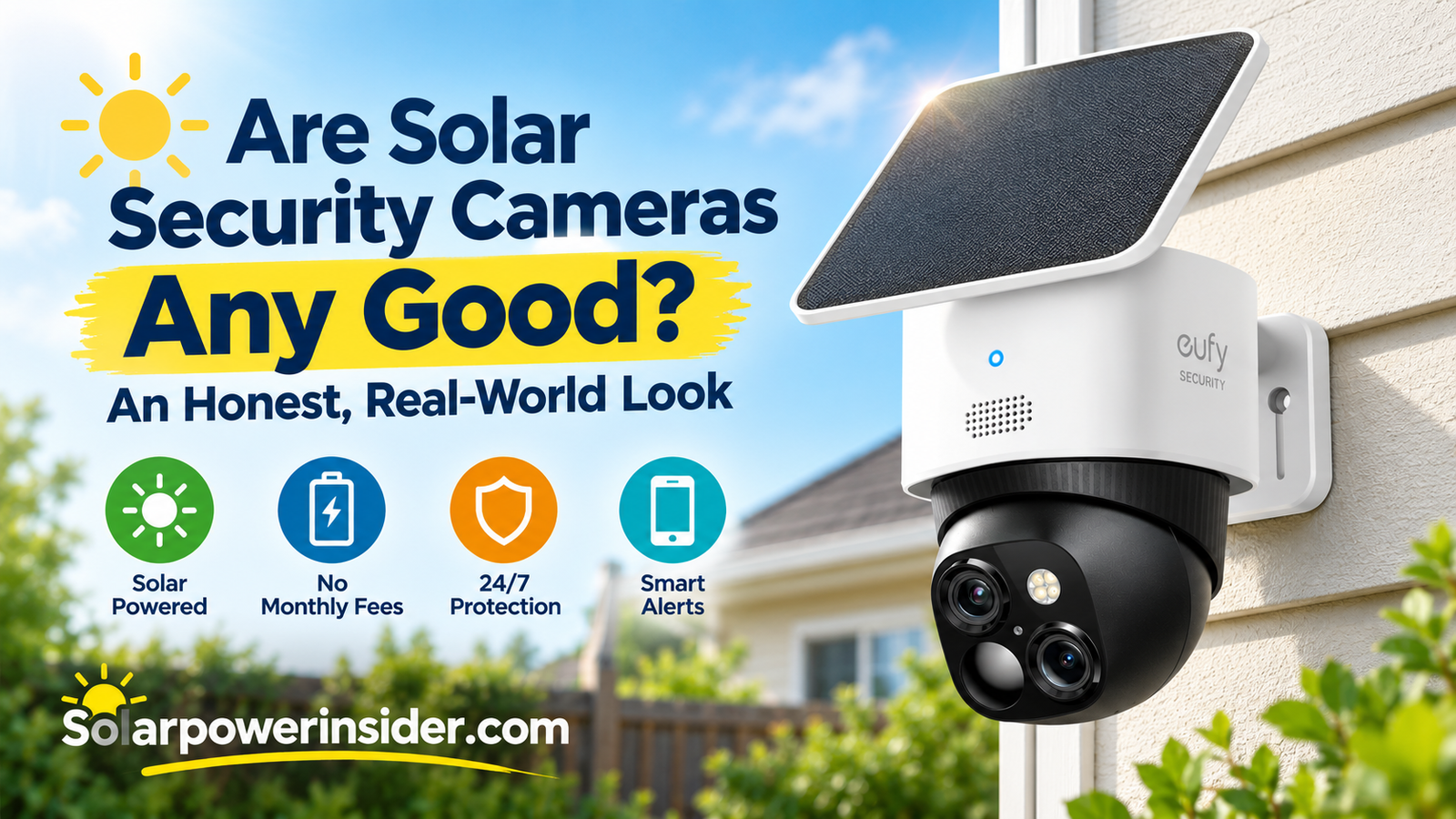
Are Solar Security Cameras Any Good? An Honest, Real-World Look
No wiring, no outlets, no monthly electric cost. It sounds almost too convenient, so here is what these cameras actually do well, where they struggle, and who should skip them.
If you have ever tried to run power to a detached garage, a back fence, or the far end of a driveway, you already understand why solar cameras exist. Trenching cable is expensive. Extension cords look terrible and trip breakers. Battery-only cameras solve the wiring problem but create a new chore: climbing a ladder every few weeks to swap or recharge a pack that always seems to die the week you are away.
Solar cameras try to remove that chore entirely. A small panel trickle-charges a rechargeable battery during the day, and the camera sips that power for motion events and live views. When it works, it feels like magic. When it does not, it is usually for predictable reasons that you can plan around.
In this guide we go through the whole picture: how the technology works, what you gain, what you give up, how much sunlight is really needed, how the picture quality holds up at night, and which situations call for a different kind of camera altogether. If you are already shopping, our roundup of the best solar security cameras pairs well with this article. If you are still deciding whether the idea makes sense for your property, keep reading.
1. The Short Answer: Are Solar Security Cameras Actually Good?
The honest answer is that they are good for a specific kind of job and mediocre for others. Think of a solar camera as a very capable perimeter and outbuilding tool, not a perfect replacement for a hardwired system watching your front door around the clock.
Modern units from established brands record sharp video, send reliable phone alerts, and use smart power management so that the camera sleeps until something moves. That design is the secret. A camera that only wakes for a few dozen events a day uses a tiny fraction of the energy of one streaming continuously, which is exactly why a palm-sized panel can keep up.
Where the answer is a confident yes
- Sheds, barns, detached garages, workshops, and rental properties with no nearby outlet.
- Long driveways, gates, and fence lines where you only care about motion events.
- Holiday homes and cabins where nobody is around to charge batteries.
- Renters who cannot drill through walls or run cable.
Where the answer is “it depends”
- North-facing walls, covered porches, and heavily shaded yards.
- Regions with long, dark, overcast winters.
- Busy streets where the camera triggers hundreds of times a day.
- Anyone who wants true continuous recording.
The rest of this article digs into each of those caveats so you can judge your own situation instead of relying on a star rating.
Want to compare current solar-powered camera options side by side?
Shop Solar Security Cameras on Amazon2. How Solar Security Cameras Work
Strip away the marketing and a solar security camera is three things working together: a camera with a rechargeable lithium battery, a small photovoltaic panel, and a power-management system that decides when to draw from, and when to refill, that battery.
The panel
Most panels sold for cameras produce somewhere in the range of 2 to 6 watts in good sun. That sounds tiny, and it is, but remember how little the camera needs. A panel does not have to match the camera’s peak draw. It only has to replace the energy used over a typical day. On a clear afternoon, even a modest panel can add more charge in a few hours than the camera burns in a day of normal motion events.
The battery
Inside the camera sits a lithium-ion pack, often the same type used in battery-only cameras. This is the buffer that carries the camera through the night, through rainy stretches, and through busy days with lots of recordings. A bigger battery gives you more days of autonomy when the sun disappears.
The brain
Most solar cameras use a low-power passive infrared sensor, usually called a PIR sensor, to detect motion. The main processor and the video encoder stay asleep until the PIR sensor trips. Only then does the camera wake, record a clip, send a notification, and go back to sleep. This is why battery cameras can last weeks or months on one charge in the first place, and why adding a panel can make the system effectively self-sustaining.
Solar-ready versus built-in panels
You will see two designs. Some cameras have a panel built right into the body, which is neat but limits where you can mount the camera, since the camera and the sun must be in the same spot. Others use a separate panel on a cable, so the camera can sit in the shade under an eave while the panel sits on a sunny roof edge. For tricky locations, the separate panel design is almost always the better choice. Our Ring Stick Up Cam Solar review shows how a clip-on style panel behaves in practice, and the Eufy SoloCam S340 review covers a built-in panel design with dual lenses.
If the general idea of turning sunlight into stored energy is new to you, our explainer on how solar lights work covers the same basic cycle in a simpler device.
Browse solar panel kits designed to keep outdoor cameras topped up.
Find Camera Solar Panels on Amazon3. What Solar Security Cameras Do Really Well
Once you strip out the hype, the real advantages come down to freedom, flexibility, and fewer chores. Here is where solar cameras genuinely earn their price.
You can mount them almost anywhere
Without a cable or outlet to worry about, placement is dictated by the view you want rather than the nearest socket. A camera covering a gate, a woodpile, a boat trailer, or the far corner of a lot becomes possible in about ten minutes. That flexibility is the single biggest reason people buy them.
Installation is simple
Most models mount with a few screws or a strap, connect to Wi-Fi through an app, and are working before your coffee gets cold. There is no electrician, no drilling through siding for a cable run, and nothing to hide behind drywall. For renters, that matters a great deal.
Lower ongoing effort than battery-only cameras
A standard wireless camera might need recharging every one to three months, depending on how busy the scene is. Solar models aim to turn that into a once-in-a-long-while event, or never. If you have ever forgotten a ladder trip and found a dead camera during a break-in attempt, you know how valuable that is.
Works during power outages
Because the camera runs on its own battery and panel, a local outage does not switch it off. If your router stays powered, through a backup battery or a small power station, the camera keeps watching while the rest of the street goes dark. Pairing a Wi-Fi router with a compact solar generator is a popular trick, and our guide to the best solar powered generators is a good place to start if you want full-property resilience.
Lower running costs and a smaller footprint
Electricity use is essentially zero, and there is no extra cabling to buy or maintain. Over the life of the camera, that is a small but real saving, and it appeals to anyone who likes cutting down on grid reliance.
Pros at a glance
- Placement is not limited by outlets
- Quick, tool-light installation
- Rarely needs manual charging
- Keeps running through local outages
- Friendly for renters and temporary sites
Cons at a glance
- Needs steady sunlight to stay topped up
- Motion-triggered rather than continuous recording
- Panels need occasional cleaning
- Higher upfront price than basic battery cameras
- Wi-Fi range can be a limiting factor
See wire-free outdoor cameras that skip the outlet entirely.
View Wire-Free Cameras on Amazon4. Where Solar Security Cameras Fall Short
No product category is perfect, and pretending otherwise would not help you. Here are the real limitations, explained plainly.
They depend on the sun, and the sun is not guaranteed
The core weakness is obvious: a solar camera is only self-sustaining if the panel receives enough light. A week of dense cloud in winter, a panel half-buried under a tree’s shadow, or a snowfall that covers the surface can all tip the balance. The battery is the safety net, but a safety net only lasts so long.
Continuous recording is usually off the table
Almost every solar camera records only when it detects motion. That is fine for catching a delivery, a prowler, or a stray animal, but it means you will not have a gap-free video timeline of everything that happened. If you need constant recording for compliance or insurance reasons, a wired camera is the better tool.
Reaction time can lag slightly
Because the camera sleeps until motion occurs, there is a short wake-up delay, often under a second or two. A fast-moving person can already be partly through the frame by the time recording starts. Better models use pre-roll buffering to reduce this, and many offer a setting that trades a little battery life for faster wake-up.
Busy locations can drain the battery
A camera that points at a road or sidewalk may trigger hundreds of times a day from passing cars and pedestrians. Each trigger uses power, and eventually the numbers stop adding up. In busy scenes you need either tighter motion zones, lower sensitivity, or a different camera type.
Wi-Fi is a constant quiet requirement
A solar camera solves the power problem, not the network problem. If the spot you want to cover is far from your router, signal strength will determine whether footage uploads smoothly or fails. We will cover this in more detail in the connectivity section.
Upfront cost can be higher
A good solar camera, or a camera plus panel, usually costs more than a plain battery camera. The payoff is fewer maintenance trips, but you pay for it on day one.
Compare models with larger batteries for extra cloudy-day cushion.
Check Long-Battery Solar Cameras on Amazon5. How Much Sunlight Does a Solar Camera Really Need?
This is the question that decides whether your camera will thrive or struggle. The good news is that the requirement is lower than most people expect. The bad news is that “lower than expected” still means you cannot ignore it.
The practical target
As a planning figure, aim for roughly two to four hours of direct, unobstructed sunlight on the panel on an average day. Brighter, sunnier regions can get away with less; gloomy ones need more careful placement. A lot depends on how busy the camera is. A quiet shed camera that triggers ten times a day sips power and is very forgiving. A driveway camera that triggers a hundred times a day is not.
Direction and angle matter
In the northern hemisphere, a panel facing south collects the most energy across the day. East and west facing panels still work but collect less overall. North facing panels are the worst choice. Tilt also matters: a panel pointed roughly toward the sun’s average height in your region will outperform one mounted flat against a vertical wall. Many panels come with an adjustable bracket for exactly this reason, so use it.
Shade is the real enemy
A panel can sit in bright sun for most of the day and still underperform if one corner is shaded. Partial shade tends to hurt more than people expect, because small panels do not have much surface to spare. Watch for shadows from eaves, gutters, trees, chimneys, and neighboring buildings, and remember that the sun’s path shifts through the seasons. A spot that is perfect in summer might be shaded for the entire winter.
Seasonal differences
| Season | Typical Effect on Charging | What to Do |
|---|---|---|
| Summer | Long, high-sun days; strongest charging | Check for new shade from leafy trees |
| Autumn | Shorter days, lower sun angle | Re-angle the panel; clear fallen leaves |
| Winter | Weakest charging; snow can cover the panel | Tilt more steeply; brush off snow; lower sensitivity |
| Spring | Improving light but frequent cloud | Clean the panel after pollen and rain |
If this seasonal swing sounds familiar, it is because the same thing affects every small solar device you own. Our guides on why solar lights stop working and how long solar lights last explain the most common causes of weak charging, and almost all of them apply to camera panels too.
Need an adjustable bracket or a larger panel for a tricky spot?
Shop Panels and Mounts on Amazon6. Battery Life and Solar Panel Performance
Battery capacity is your buffer against bad weather, while panel output is your ongoing income. A good solar camera balances both. Here is how to read the specifications without being fooled by marketing.
Understanding battery capacity
Battery size is usually listed in milliamp-hours, often between 5,000 and 13,000 mAh for solar-capable cameras. Higher numbers mean more reserve. But capacity alone is not enough, because a camera with a power-hungry processor can burn through a large battery faster than a thrifty one with a smaller pack. Look for brand claims about days of standby and, more importantly, independent testing.
Panel wattage versus real-world output
A panel rated at 3 watts will almost never deliver 3 watts in everyday conditions. Angle, shade, temperature, dust, and cloud all reduce the real figure. In practice, you might see a third to a half of the rating over the course of a day on average. That is still enough for most cameras in moderate use.
What drains the battery fastest
- Frequent live viewing. Streaming video wakes everything at once and uses far more power than a short motion clip.
- High-sensitivity motion detection. Wind, branches, and insects can trigger recordings all night.
- Long clip lengths. A 30-second clip costs more than a 10-second one.
- Spotlight and siren use. Bright lighting and loud alerts are power-hungry.
- Weak Wi-Fi. A camera that struggles to connect repeats its attempts and wastes energy.
- Cold weather. Lithium batteries lose capacity in low temperatures.
How to extend runtime without losing protection
Shorten clip length to the minimum that still captures useful footage. Draw motion zones that cover only the areas that matter. Use scheduling to reduce sensitivity at times you do not need alerts. And avoid checking live view unless you have a reason to. These simple habits often double the effective battery life.
When a solar generator becomes the smarter option
For multi-camera setups, floodlights, or networking gear, individual solar panels start to look fiddly. A single power station can feed several devices through one clean source, and it makes sense if you already own one for camping or backup. If you are curious, our guides on what size solar generator you need and how a solar powered generator works walk through the basics.
Explore battery-backed camera kits with bigger power reserves.
Browse Camera Kits on Amazon7. Video Quality, Night Vision and Motion Detection
A camera that never runs out of power is useless if its footage cannot identify a face or a license plate. So how do solar models actually perform as cameras?
Resolution and clarity
Most solar cameras record in 2K or similar high-definition quality, and some go higher. In daylight, the footage is generally crisp enough to recognize people and read details at close range. At greater distances, resolution matters less than lens quality and field of view, so do not judge a camera by its megapixel figure alone.
Night vision
Night footage comes in two flavors. Infrared mode produces black-and-white video and saves power. Color night vision uses a small spotlight or a high-sensitivity sensor to give you color footage, which is more useful for describing clothing or vehicles, but uses more energy. Many cameras let you choose between the two, and it is worth experimenting to find the balance that suits your location.
Field of view and lens design
A wider field of view covers more ground, but distant subjects appear smaller. Some newer models pair two lenses, a wide one for coverage and a telephoto one that zooms in on subjects, giving you the best of both worlds. This kind of dual-lens design is exactly what makes the Eufy SoloCam S340 interesting, as we noted in our full review.
Motion detection and false alarms
Motion detection is where cheap and premium cameras diverge most. Basic PIR sensors trigger on anything warm and moving, including pets, passing cars, and swaying plants. Better cameras add on-device AI that classifies the subject as a person, vehicle, package, or animal, and only alerts you for the categories you pick. That reduces false alarms, and just as importantly, it saves battery, since fewer unnecessary recordings means less drain.
Two-way audio, sirens and spotlights
Most solar cameras include a microphone, speaker, and sometimes a built-in siren. These features are handy for talking to a delivery driver or scaring off a trespasser, but each use costs power. Treat them as tools to use when needed rather than defaults.
| Feature | Entry-Level | Mid-Range | Premium |
|---|---|---|---|
| Resolution | 1080p | 2K | 2K to 4K |
| Night vision | Infrared only | Infrared and color | Color with smart lighting |
| Detection | Basic motion | Person detection | Person, vehicle, package, pet |
| Lenses | Single | Single, wide angle | Dual lens with zoom tracking |
| Deterrents | Basic siren | Siren and spotlight | Siren, spotlight, two-way audio |
Look for 2K cameras with smart person and vehicle detection.
Shop 2K Solar Cameras on Amazon8. Connectivity and Video Storage Options
Power is only half the story. A solar camera also has to talk to your phone and store its recordings somewhere. These choices affect reliability and long-term cost more than many buyers realize.
Wi-Fi cameras
Most solar cameras connect over Wi-Fi, which is cheap and simple but depends on your router. The camera needs a stable signal at the mount point, ideally at least moderate strength. If your signal is borderline, a mesh node or an outdoor-rated extender near the camera often fixes dropouts. Many cameras also operate on only the 2.4 GHz band, which has better range than 5 GHz but is more crowded.
Cellular (4G or 5G) cameras
For remote property, such as a field, a construction site, or a cabin without internet, cellular solar cameras are the answer. They use a SIM card to upload footage, so they work anywhere there is a signal. The trade-off is a monthly data plan and typically higher hardware costs. For truly off-grid locations, though, they are in a class of their own.
Hub-based systems
Some brands use a small base station that plugs into your router. The cameras communicate with the hub over a private low-power link, which often extends range and saves battery. Hubs often include local storage as well, which is a nice privacy and reliability bonus.
Where your footage lives
- Local storage: a microSD card in the camera or an internal drive in a hub. No subscription, and no cloud dependency, though footage can be lost if the camera is stolen.
- Cloud storage: clips are uploaded to a company server, usually for a monthly or yearly fee. Footage survives theft or damage, but costs add up.
- Hybrid: local recording with optional cloud backup. This is the most flexible approach for most households.
Need a cellular option for a property without Wi-Fi?
See 4G LTE Solar Cameras on Amazon9. Solar vs Wired vs Battery-Only Cameras
Solar is not the only way to power a camera, and it is not always the best. Comparing the three main options side by side helps you choose the right tool.
| Factor | Solar | Wired | Battery-Only |
|---|---|---|---|
| Installation | Easy | Harder; needs cable or outlet | Easy |
| Placement freedom | High, if sunny | Limited by power source | High |
| Maintenance | Occasional panel wipe | Almost none | Regular recharging |
| Recording style | Motion-triggered | Continuous possible | Motion-triggered |
| Weather dependence | Moderate | None | Low |
| Works in outage | Yes | Only with backup | Yes |
| Upfront cost | Medium to high | Low to medium, plus install | Low to medium |
When wired is better
Front doors, main entrances, and any location where you want gap-free recording are best served by wired cameras. If power is already nearby, there is little reason to complicate things.
When battery-only is enough
If a camera sits in a sheltered, low-traffic spot that sees little activity, a standard battery camera might last the better part of a year. In that case a solar panel adds cost without much benefit.
When solar is the best pick
Anywhere that is remote, sunny, and moderately active is a natural fit. Solar also makes sense when you have several cameras and do not want a calendar full of charging reminders.
The hybrid approach
Many homeowners combine them: wired cameras at the doors, solar cameras at the perimeter and outbuildings. This gives you reliability where it matters most and flexibility everywhere else. The same logic applies to broader home energy. Our comparison of a solar generator vs a gas generator shows how a mixed approach often beats choosing a single technology.
Compare wireless and wired outdoor cameras in one place.
Compare Outdoor Cameras on Amazon10. Solar Security Camera Models Worth Considering
Product lineups change quickly, so instead of locking onto a specific shopping list, here is how the major approaches compare and what to look for within each. For full, current recommendations, visit our dedicated best solar security cameras guide.
| Approach | Example Brands | Best For | Watch Out For |
|---|---|---|---|
| Built-in panel, dual lens | Eufy | Simple installs with zoom tracking | Camera and sun must share the same spot |
| Separate panel on cable | Reolink, Arlo | Shady mounts with a sunny panel spot | Cable routing and extra mounting |
| Clip-on panel for existing camera | Ring | Owners already in an ecosystem | Panel is an add-on cost |
| Cellular solar camera | Various | Remote land, cabins, job sites | Data plan and higher price |
Eufy’s approach
Eufy has built its reputation on local storage with no mandatory subscription, plus dual-lens tracking on some models. If you like the idea of footage staying under your own roof, it is worth a look. Read the Eufy SoloCam S340 review for detailed notes on performance.
Reolink’s approach
Reolink typically offers a separate panel on a short cable, letting you place the camera and panel independently. This is a big advantage in awkward spots. Competitively priced, it is a frequent pick for value-focused buyers.
Arlo’s approach
Arlo leans toward polished apps and strong smart features, with solar charging as an optional accessory. Expect a premium price and a stronger push toward cloud subscriptions.
Ring’s approach
Ring appeals to anyone already using its doorbells and alarm systems, since everything lives in one app. See our Ring Stick Up Cam Solar review for how it handles real-world use.
Want a head-to-head?
If you are stuck between the big three, our detailed Reolink vs Arlo vs Eufy solar cameras comparison goes feature by feature.
See top-rated solar cameras from leading brands.
Shop Top Brands on Amazon11. Placement and Setup Tips That Make a Real Difference
Two identical cameras can perform completely differently depending on where and how they are mounted. Spending ten extra minutes on placement will save you weeks of troubleshooting.
Do a quick sun check first
Before drilling anything, spend a day watching the spot you have in mind. Note when direct light arrives and leaves. Take a few photos at different times. If you can, test the position with the camera on a temporary mount and check the charging indicator in the app after a full day.
Mount at the right height
Seven to ten feet is the usual sweet spot. It is high enough to be difficult to tamper with, but low enough to capture faces rather than the tops of heads. Angle the camera slightly downward and keep it out of reach of anyone who could simply grab it.
Aim to reduce false triggers
- Avoid pointing directly at busy roads, shared fences, or neighbors’ windows.
- Keep branches and bushes out of the field of view, since wind will trigger them.
- Use motion zones to cover only the doors, gates, and paths you care about.
- Avoid aiming at bright reflective surfaces such as windows or metal roofs, which can confuse sensors and infrared night vision.
Check Wi-Fi at the mounting spot
Take a phone to the exact location and test the signal. If it is weak, add a mesh node or relocate the camera. A camera that constantly retries to connect will drain its battery much faster than one with a solid link.
Secure the camera and cables
Use tamper-resistant screws where possible, and tuck panel cables so they cannot be pulled or snagged. Weatherproof any cable connection points. Most cameras carry an ingress protection rating, so confirm it suits your climate, particularly if you deal with heavy rain, dust, or freezing conditions.
Set up smart alerts from day one
Turn on person detection, set a sensible clip length, and create quiet schedules for times when you do not need alerts. These small choices make the difference between a useful system and a notification nuisance that you eventually ignore.
Consider lighting and other solar accessories
A bright, well-lit area deters intruders and improves night footage. Solar pathway and garden lighting can add safety and visibility without any wiring at all. Take a look at our picks for the best solar lights for garden and the Ring Solar Pathlight review if you want to build a layered, wire-free security setup.
Grab mounts, extension cables and weatherproof accessories.
Shop Camera Accessories on Amazon12. Cost, Lifespan, Maintenance and Who Should Buy
Finally, let us talk about what you will actually spend, how long these systems last, and who gets the most value.
What you will pay
Prices vary widely. Basic solar-ready cameras and panel combos can be inexpensive, mid-range models with 2K video and smart detection cost noticeably more, and premium cellular or multi-camera kits sit at the top. Remember to include subscription fees if you want cloud history or advanced AI features, because they compound over several years.
| Cost Factor | One-Time or Ongoing | Notes |
|---|---|---|
| Camera and panel | One-time | Biggest single expense |
| Extra mount or extender | One-time | Optional but often useful |
| Cloud plan | Ongoing | Varies by brand; may be optional |
| Cellular data plan | Ongoing | Only for 4G or 5G models |
| Battery replacement | Occasional | After several years of use |
How long they last
Cameras themselves typically last many years, while the rechargeable batteries are the main wear item. After a few years of daily cycling, a lithium battery loses capacity and may need replacement. Solar panels are far more durable, often outliving the camera. The same principle applies at a larger scale, which our guide on how long a solar generator lasts explains in detail.
Simple maintenance routine
- Wipe the panel with a soft damp cloth every month or two, or after pollen, dust, or bird droppings.
- Brush off snow and leaves as needed.
- Check the battery percentage in the app now and then.
- Update firmware when new versions are available.
- Re-check the angle of the panel at the change of seasons.
Who should buy a solar security camera
- Homeowners with detached buildings, long driveways, or large yards.
- Renters who cannot modify the property.
- Owners of vacation properties, boats, RVs on a parked lot, or storage.
- Anyone who dislikes recharging batteries and has a reasonably sunny mounting spot.
Who should skip them
- Anyone who needs continuous, gap-free recording.
- Homes with only deeply shaded mounting positions.
- People watching extremely busy streets.
If you are considering solar more broadly across your home, it helps to weigh the total picture. Our article on whether a solar generator is worth it applies the same cost-versus-convenience thinking to larger systems.
Ready to pick one? Browse current deals and customer reviews.
See Today’s Solar Camera Deals on AmazonFinal Verdict: Are Solar Security Cameras Worth It?
For the right situation, absolutely. Solar security cameras have matured from a gimmick into a dependable tool, and the best models deliver sharp video, smart detection, and months of hands-off operation. They shine at perimeters, outbuildings, and remote spots where running power is difficult or costly.
The caveats are real, but manageable. Make sure the panel gets decent sun, keep the motion zones sensible, check your Wi-Fi at the mount point, and choose a camera with a battery large enough to ride out gloomy weeks. Follow those four rules and the majority of the complaints you read in reviews simply will not apply to you.
If you want the strongest overall protection, think in layers: wired cameras at your doors, solar cameras along the edges, good lighting everywhere, and a reliable backup for your router. That combination is flexible, affordable, and surprisingly robust.
Start protecting every corner of your property without running a single cable.
Find Your Solar Security Camera on AmazonFrequently Asked Questions About Solar Security Cameras
Are solar security cameras any good?
Yes, when used in the right place. They work best in sunny spots with moderate motion activity, where they can charge through the day and sleep between events. In shady or very busy locations they can struggle.
Do solar security cameras work at night?
Yes. They run on a stored battery after dark and use infrared or color night vision. The panel only charges in daylight, so the battery does the work at night.
Do solar security cameras work on cloudy days?
They do, though charging is slower because panels still collect some light through cloud. A good battery covers the gap, and most cameras can run for days or weeks without strong sun, depending on how active the scene is.
How much sunlight does a solar camera need?
A useful target is around two to four hours of direct light per day, though quiet locations need less and busy ones need more. Unobstructed, south-facing placement helps in the northern hemisphere.
Do solar security cameras need Wi-Fi?
Most do, so they need a decent signal where they are mounted. For places without internet, cellular models use a SIM card and a data plan instead.
Can solar cameras record continuously?
Generally no. Nearly all solar models record only when they detect motion in order to save power. If you need constant recording, a wired camera is the better choice.
How long does a solar security camera battery last?
With a working panel, the battery can effectively last indefinitely between replacements. Without sun, many last weeks to a few months, depending on activity. After several years, the battery itself may need to be replaced.
Do I need a subscription for a solar camera?
Not always. Some brands offer free local storage on a microSD card or hub, while others rely on paid cloud plans for features like history and advanced detection. Check which features are included before you buy.
Can I add a solar panel to my existing battery camera?
Often yes, if the manufacturer sells a compatible panel for your model. Check the brand’s accessories, since universal panels may not connect correctly. Our Ring Stick Up Cam Solar review covers one such setup.
How do I clean a solar camera panel?
Wipe it with a soft, damp cloth and mild soap if needed, and avoid abrasive materials. Do this every month or two, and after pollen, dust, or snow, to keep charging efficient.
Can solar cameras be hacked or stolen?
Like any connected device, they carry some risk, but strong passwords, two-factor authentication, and regular firmware updates greatly reduce it. Mount cameras out of easy reach and use tamper-resistant screws to discourage theft.
Are solar cameras better than wired cameras?
Neither is universally better. Wired cameras suit entrances and continuous recording, while solar cameras are ideal for remote or hard-to-wire locations. Many properties use a mix of both.
Still have questions? Read real customer reviews and compare models.
Read Customer Reviews on Amazon