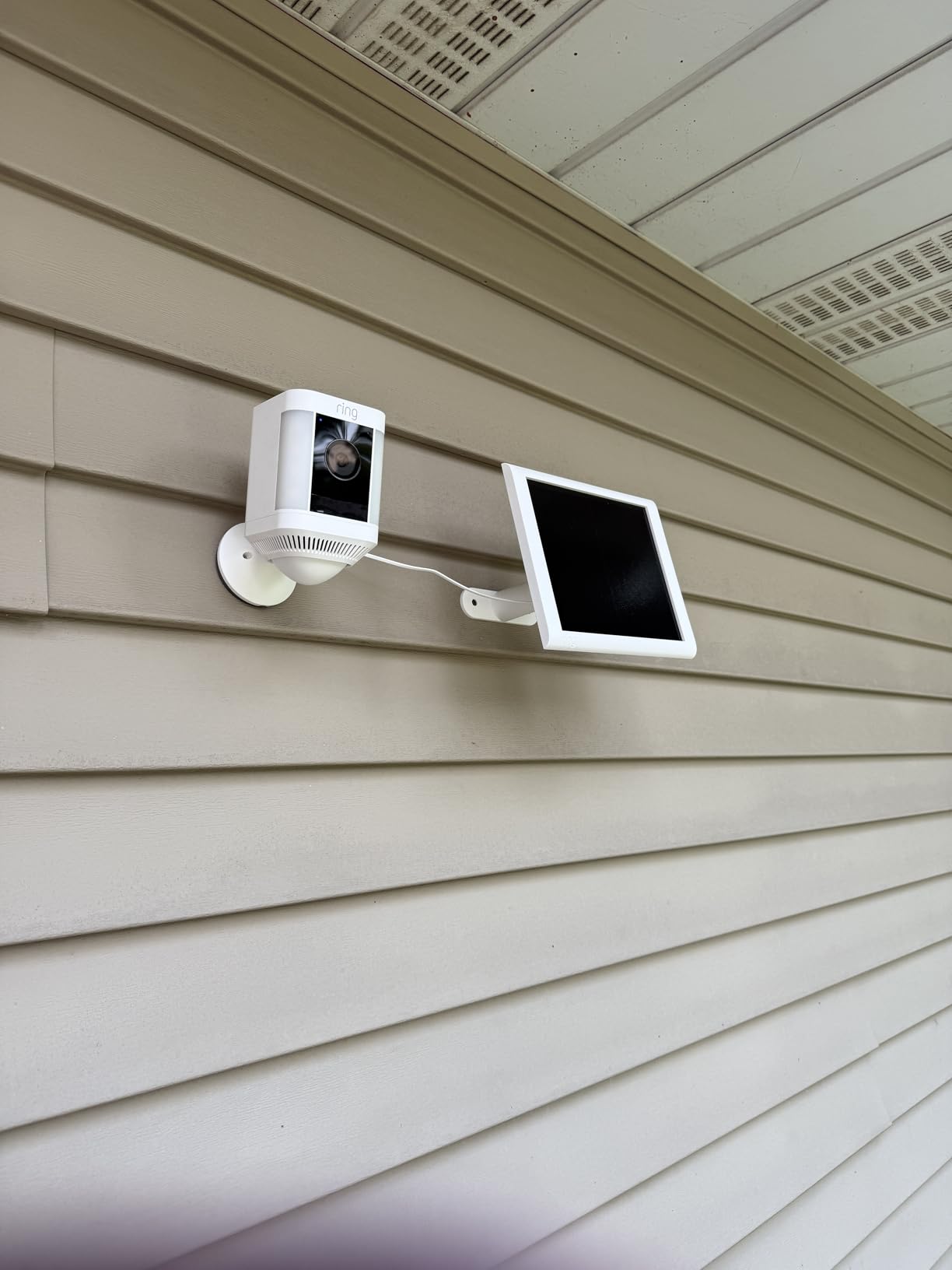
Best Solar Security Cameras: Our Top Picks for Wire-Free Protection
No outlet, no problem. We looked at fifteen solar-powered cameras and kits to help you protect driveways, gates, sheds, and remote lots without running a single cable.
Why a Solar Security Camera Makes Sense
Running a power cable to the far corner of a yard is the part of home security nobody enjoys. A solar camera skips it. A small panel tops up the battery during daylight, and the camera quietly does its job at the gate, the driveway, the shed, or the side of the house where no outlet exists.
That freedom has real limits, though. Not every solar camera is equally good, and sun exposure, Wi-Fi reach, and storage choices decide whether you end up happy or frustrated. If you are still asking whether the idea holds up, our breakdown of whether solar security cameras are any good covers the honest trade-offs.
Below you will find fifteen cameras and kits, grouped by what they do best, plus the buying knowledge that matters more than any spec sheet.
Who Benefits Most
Solar cameras shine in places where trenching or drilling for power would cost more than the camera itself. Think detached garages, gated driveways, boat storage, vacation homes, community gardens, and small rental properties where you cannot alter the wiring. Renters like them because the mounts are removable and the footprint is tiny.
Where They Fall Short
If your only available spot is a deep-shade porch, a wired camera is the more honest answer. The same goes for situations that demand nonstop recording, such as monitoring a business entrance around the clock. Solar cameras are built for event-based recording, and that is a strength for most homes but a limitation for some.
Think of the camera as a deterrent plus a witness. A visible lens and spotlight discourage casual trouble, and a clear clip helps you or the police sort out what happened if something does occur. That framing keeps expectations realistic and purchases sensible.
A Quick Reality Check on Expectations
Solar cameras are not magic. They are battery cameras with a helper. In a sunny spot with modest activity, many owners barely think about charging. In a shady spot with constant traffic, even the best model needs occasional manual charging. Knowing which situation you are in before you buy is the single biggest factor in satisfaction.
It also helps to decide what job the camera has. Catching package thieves needs a clear view of the porch and fast alerts. Watching a gate needs reliable night footage. Monitoring a remote shed needs a connection that survives weather. One camera rarely excels at all three, which is why the picks below are grouped by purpose.
Solar vs Wired vs Battery-Only
| Type | Upkeep | Install Effort | Best For |
|---|---|---|---|
| Solar battery camera | Low, occasional panel cleaning | Low | Spots without outlets |
| Battery-only camera | Recharge every few weeks or months | Low | Short-term or sheltered spots |
| Wired camera | Very low | Higher, often needs drilling | Continuous recording |
A battery-only camera is the cheapest way to experiment, but charging chores add up. Wired cameras are the most dependable and can record around the clock, yet they cost more to install. Solar sits in the middle, trading a little complexity for freedom and far fewer chores.
Building Layers Around the Camera
Cameras work best as part of a small system. Good lighting removes hiding places. Trimmed shrubs improve sightlines. Solid locks and a visible sign slow down opportunists. A camera adds the record and the alert. Together these small steps make a home a less appealing target than the one next door.
If you are curious about related solar gear for the yard, our roundup of solar lights for the garden pairs well with a camera plan, because light and video cover each other’s weaknesses.
Ready to compare prices? Current pricing and availability are always on Amazon.
How Solar Security Cameras Actually Work
Inside every one of these cameras is a rechargeable lithium battery. The panel does not run the camera directly; it trickles energy into the battery. Most models sleep until a motion sensor wakes them, record a short clip, then go back to rest. That duty cycle is why a modest panel can keep a camera alive for months.
If the idea of sunlight feeding a battery is new to you, our explainer on how solar lights work uses the same principle, and how long solar lights last shows how battery age shapes lifespan. Cameras behave similarly: the battery, not the panel, usually wears out first.
Heavy activity is the one thing that drains faster than the sun refills. A camera facing a busy street will wake dozens of times a day, so tune sensitivity and activity zones early.
Panel, Battery, and Sensor
Three parts matter. The panel converts light into a small current. The battery stores it. A passive infrared sensor, often called PIR, detects body heat moving across the field of view, which is why a swaying branch is less likely to trigger it than a person walking by. Better models layer in software that classifies people, vehicles, and animals.
What Drains the Battery
Live viewing, long clips, high sensitivity, spotlights, and weak Wi-Fi all cost power. A camera that struggles to reconnect to your router burns far more energy than one with a strong signal. That is why a cheap Wi-Fi extender sometimes extends battery life more than a bigger panel would.
Why Cold and Heat Matter
Lithium batteries charge poorly in freezing weather, and extreme heat shortens their lifespan over the years. Mounting under a small eave, while still leaving the panel in sun, helps in both climates.
Wi-Fi, Hubs, and Cellular Explained
A Wi-Fi camera talks directly to your router. A hub camera talks to a base station that sits indoors and relays video onward. A cellular camera uses a mobile network and does not need your home internet at all. Each approach has a different failure mode: Wi-Fi cameras drop when the signal is weak, hub cameras depend on the hub’s power and placement, and cellular cameras depend on carrier coverage.
Why Short Clips Beat Long Ones
Most owners are happier with shorter recordings. A ten to twenty second clip usually shows who arrived and what they did, and it saves battery, storage, and data. Long clips matter mainly for unusual events, and you can always trigger live view when you need it.
Firmware and Longevity
Updates improve detection, security, and battery behavior over time. Cameras from companies with a record of regular updates tend to age better. That is a quiet but important reason big brands retain buyers.
Common Myths
- “They stop working at night.” They run on the stored battery, so night is not an issue.
- “Cloudy days kill them.” Charging slows, but the battery buffer usually covers short gray spells.
- “A bigger panel always fixes problems.” Placement and signal strength often matter more.
- “They are always recording.” Most record only when triggered to save power.
Understanding these points helps you set realistic expectations and troubleshoot calmly instead of blaming the hardware.
How Batteries Age
Lithium cells slowly lose capacity with every charge cycle and with exposure to heat. After a few seasons, you may notice the camera needs more help from the panel. That is normal wear, not a defect. Keeping the panel clean and avoiding constant live viewing slows the decline. When the battery fades enough to hurt performance, check whether the model offers a replacement battery or whether replacing the whole camera makes more sense.
The same patterns show up in other solar gear. Our guide to how long a solar generator lasts explains how cycle life and care shape lifespan across the category.
Ready to compare prices? Current pricing and availability are always on Amazon.
What to Look For Before You Buy
- Panel sunlight: Aim for several hours of direct light. Shade is the number one reason solar cameras die.
- Connection type: Wi-Fi cameras need a strong signal at the install spot. Cellular models do not.
- Resolution: 2K is plenty for most yards; 3K or 4K helps with faces and plates at distance.
- Storage: Local microSD or a hub avoids monthly fees. Cloud plans add features but cost more.
- Night vision: Color night vision with a spotlight is more useful than grainy black and white.
- Weather rating: Look for an IP65 or better rating if you get heavy rain or snow.
Weigh these against your actual spot, not the box. A fancy 4K camera in a shady corner loses to a simple 2K model in full sun.
Field of View and Detection Range
A wider lens covers more ground but makes distant subjects smaller. Pan and tilt models cover more area with fewer cameras, though they move motors that use extra power. Detection range is usually quoted in feet; real-world range is shorter in warm weather and when the subject moves straight toward the camera.
Audio and Sirens
Two-way talk lets you speak to a delivery driver or a stranger. A built-in siren adds a deterrent effect. Neither is essential, but both are pleasant to have if the price difference is small.
App Quality and Smart Home Fit
The best hardware is frustrating with a slow app. Read recent feedback about notification speed and live view loading. If you rely on voice assistants or other smart home devices, confirm support before buying instead of assuming it.
Warranty and Support
Established brands generally publish clearer warranty terms and keep apps updated. Lesser-known brands can offer good value, but check how responsive support is, and keep your receipt.
A Simple Scoring Method
Rate each camera from one to five on sunlight fit, connection fit, storage preference, picture quality, and budget. Total the scores. The model with the best total, not the best single feature, is usually the right one. This keeps you from overspending on resolution when your real constraint is Wi-Fi reach.
Questions Worth Asking Before Checkout
- Can I mount this where the panel actually gets sun?
- Do I want a monthly plan, and what does it include?
- Is there an easy return window if the signal is poor?
- Will the camera work with my existing phone and smart speaker?
- Do I need a siren or two-way audio?
Matching Cameras to Real Situations
Watching a Driveway
Distance is the challenge. Look for a wide view with decent resolution and a mounting point high enough to see over parked cars. A dual-lens or higher-resolution model such as the eufy SoloCam S340 or the SOLIOM 4K pair helps, and a spotlight makes night footage much more useful.
Protecting Packages on a Front Porch
Speed and clarity matter most. Put the camera close enough to capture faces and make sure notifications arrive quickly. A spotlight model like the Ring Spotlight Cam Plus Solar fits well here, and you can pair it with a visible doorbell to discourage opportunists.
Renting or Apartment Living
Check your lease before drilling. Many renters use adhesive or clamp mounts on balconies and patios, and a flexible camera such as the Ring Stick Up Cam Solar HD makes that easy. Face the lens at your own entrance and avoid pointing at neighbors’ doors.
Barns, Sheds, and Workshops
Dust, temperature swings, and distance from the router dominate. Choose a weather-ready camera with a strong signal path, or go cellular when Wi-Fi is out of reach. Placing the camera high keeps it out of dust and animals’ way.
Cabins and Vacation Homes
You are away for long stretches, so reliability beats features. A cellular camera such as the eufy 4G LTE Cam S330 or the Ebitcam gives you eyes on the property without depending on home internet. Set a lower alert level so you are not flooded with notifications from wildlife.
Backyards and Pool Areas
Wide coverage and clear alerts matter. Aim to cover gates and entry points rather than the entire yard. Make sure the camera is out of splash range and mounted above reach.
Ready to compare prices? Current pricing and availability are always on Amazon.
Quick Comparison Table
Specs shift between versions, so treat this as a decision guide and confirm details on the product page.
| Camera | Best For | Connection | Standout |
|---|---|---|---|
| Ring Spotlight Cam Plus Solar | Ring users | Wi-Fi | Spotlight, app ecosystem |
| Ring Stick Up Cam Solar HD | Flexible placement | Wi-Fi | Indoor/outdoor mounting |
| eufy SoloCam S340 | Wide coverage | Wi-Fi | Dual lens, pan & tilt |
| eufy SoloCam S220 | Value | Wi-Fi | Simple, no-fee storage |
| eufyCam S3 Pro / S4 | Whole-property systems | Hub | Local storage via hub |
| eufy 4G LTE Cam S330 | No Wi-Fi sites | Cellular | Works off the grid |
| Reolink Argus Series | Value and local storage | Wi-Fi | Solid app, microSD |
| AOSU / ANSQUE 4-Cam Kits | Multi-camera yards | Wi-Fi | Four cameras in one purchase |
| SOLIOM S600 / 4K 2-Cam | Budget coverage | Wi-Fi | Dome or 4K pair |
| AlkiVision / Zumimall 2K | Low-cost singles | Wi-Fi | Entry-level 2K |
| Ebitcam 4G LTE | Remote cabins, lots | Cellular | No router needed |
How to Use This Table
Start with the connection column. It eliminates half your options immediately: if there is no Wi-Fi at the install spot, move straight to the cellular cameras. Next, check the “best for” column against your reality. A single front yard calls for one good camera, while a property with several blind corners benefits from a kit.
Finally, think about total cost of ownership, not the sticker price. A cheaper camera that needs a monthly plan for basic features may cost more over time than a pricier one with local storage.
Reading Between the Lines
Two cameras can look similar in a table and feel very different in daily use. App speed, alert accuracy, and how often you need to touch the camera are hard to compress into a row. Use the table to shortlist two or three candidates, then read recent owner feedback focused on those specific traits.
Also remember that a standout feature only matters if you will use it. Pan and tilt is wonderful for a wide yard and pointless for a narrow side passage.
What the Table Does Not Show
Weather rating, mounting hardware quality, siren loudness, and accuracy of person detection vary between models and rarely appear in a short comparison. Check those details on the product page, especially if you live somewhere with harsh winters, heavy rain, or intense summer heat.
If you are shortlisting between brands rather than models, the brand comparison gives a wider view of strengths and weaknesses.
Ready to compare prices? Current pricing and availability are always on Amazon.
Ring Solar Cameras: Best for the Ring Ecosystem

Ring Spotlight Cam Plus Solar
A spotlight camera that pairs with the Ring app, so alerts, live view, and history live in one familiar place. Great at a front door or driveway.
Check Ring Spotlight Cam Plus Solar on Amazon
Ring Stick Up Cam Solar HD
A compact camera that can sit on a ledge or mount to a wall, then switch roles later. Our full Ring Stick Up Cam Solar review digs into battery behavior.
Check Ring Stick Up Cam Solar HD on AmazonPros
- Polished app and reliable alerts
- Strong integration with other Ring devices
Cons
- Best features sit behind a subscription
- Needs decent Wi-Fi at the mount
If you already own Ring hardware, these are the easy choice. Coming from the same brand also means your lights, doorbell, and cameras speak the same language. Fans of the line may also like the Ring Solar Pathlight review.
Ring Spotlight Cam Plus Solar in Practice
This one earns its place as a front-of-house camera. The built-in light turns on when motion is detected, which lights up the scene and makes color footage possible at night. Many owners place it above a garage or beside the front entry where the panel catches sun and the Wi-Fi is strong.
Ring Stick Up Cam Solar HD in Practice
The Stick Up style is the flexible one. It can sit on a flat surface, hang from a screw, or mount to a wall, so it adapts when you rearrange your yard. That makes it a smart first camera while you learn which angles matter.
The Subscription Question
Ring cameras work for live view and alerts without a plan, but recorded history, sharing, and some smart detection features depend on a subscription. If you hate recurring fees, weigh that honestly before committing to the ecosystem.
Who Should Choose Which Ring
Pick the Spotlight Cam Plus Solar if the camera will live at a main entrance and you value built-in lighting. Pick the Stick Up Cam Solar HD if you want to experiment with placement or watch several modest areas. Either way, give the camera a strong Wi-Fi signal and consider a Ring chime or extender if your router is far away.
Everyday Tips for Ring Owners
- Use motion zones to ignore sidewalks and roads.
- Schedule modes so the camera is less sensitive during busy hours.
- Check battery status monthly in the app.
- Clean the panel at the same time you change smoke alarm batteries so you remember.
Ring Compared With the Competition
Ring’s strength is ecosystem and polish. Its weakness is cost over time if you want every feature. If you like owning your footage, the eufy and Reolink picks may feel more comfortable. Our comparison of Reolink, Arlo, and eufy walks through those differences in more detail.
Mini Review: Ring Spotlight Cam Plus Solar
The strongest argument for this camera is how easily it fits into daily life. Alerts arrive in an app most people already understand, the spotlight gives you color footage when it counts, and installation takes minutes. Because it is a spotlight design, it also doubles as a visible deterrent. A person approaching a dark porch who is suddenly lit up tends to reconsider.
Works well
- Spotlight helps night footage and deterrence
- Familiar app and easy sharing
- Good fit at doors and driveways
Think twice if
- You dislike subscription-gated features
- Your Wi-Fi is weak at the mount
Mini Review: Ring Stick Up Cam Solar HD
This is the camera for people who like to adjust. Because it can sit, hang, or mount, you can test an angle for a few days before committing. It is especially useful for secondary spots such as a side yard, patio, or garage corner where you are not sure which view helps most.
Works well
- Flexible mounting options
- Easy to relocate as needs change
- Works well as a second camera
Think twice if
- You want a built-in spotlight
- You prefer a hub with local storage
Ring Cameras Over Time
Ring owners often report that the ecosystem becomes more valuable as it grows. Adding a doorbell or a second camera gives you one timeline for events around the house. That convenience is the quiet reason many people stick with the brand even when cheaper alternatives exist. The cost is the long-term plan, so decide up front whether the features justify it.
Ready to compare prices? Current pricing and availability are always on Amazon.
eufy SoloCam and eufyCam Picks

eufy SoloCam S340 Dual Camera
Two lenses and pan and tilt let one unit watch a wide area. Read our eufy SoloCam S340 review for real-world notes.
Check eufy SoloCam S340 Dual Camera on Amazon
eufy SoloCam S220
A straightforward solar camera for people who want local storage without extra complexity.
Check eufy SoloCam S220 on Amazon
eufyCam S3 Pro (Solar)
Part of a hub-based setup that stores footage locally and handles several cameras.
Check eufyCam S3 Pro (Solar) on Amazon
eufyCam S4
A more advanced take on the same hub idea, suited to larger properties.
Check eufyCam S4 on AmazonPros
- Local storage reduces ongoing costs
- Strong image quality across the range
Cons
- Hub systems cost more up front
- Wi-Fi models still need decent signal
eufy’s appeal is simple: you own the footage. If you are weighing brands, see our Reolink vs Arlo vs eufy comparison.
SoloCam S340: One Unit, Wide Coverage
The dual-lens design pairs a wide view with a closer look, so you get an overview plus detail where it matters. For a driveway or backyard that would otherwise need two cameras, this can be the better value.
SoloCam S220: The Simple Option
If you want a camera that mounts, connects, and gets out of the way, the S220 fits. It is a sensible starting point for a single trouble spot such as a side gate.
eufyCam S3 Pro and S4: Hub Systems
Hub-based setups use a base station that receives video from each camera and stores it locally. Cameras talk to the hub rather than constantly to your router, which can ease Wi-Fi strain and improve reliability. They suit larger properties where you plan to add cameras over time.
The trade-off is cost and an extra device to place indoors. The reward is footage kept under your control without a monthly bill.
Choosing Between the Four eufy Cameras
Start with coverage. If one spot needs a wide view plus a close look, take the S340. If you need an affordable single camera, take the S220. If you plan to cover an entire property and enjoy a central base station, look at the S3 Pro or S4. The decision is mostly about scale rather than quality.
Installation Pointers
For the S340, leave room for the pan and tilt movement and avoid mounting too close to a wall. For hub cameras, place the hub in a central indoor spot with decent Wi-Fi, because the hub is the link between everything. For the S220, a simple bracket and a short test walk through the field of view is all it takes.
Local Storage in Real Life
Local storage means you can scroll through clips without a subscription. Remember to check capacity occasionally, because older clips overwrite when space runs out. If a particular event matters, save it to your phone right away.
Mini Review: eufy SoloCam S340 Dual Camera
With two lenses and motion, this camera behaves more like a small surveillance setup than a single device. It is a smart choice for a driveway where you want a wide overview and a closer view of faces or plates. Owners tend to appreciate not having to buy and manage a second camera.
Works well
- Wide coverage from one unit
- Local storage options
- Strong picture detail
Think twice if
- Budget is the top priority
- You only need to watch a narrow spot
Mini Review: eufy SoloCam S220
This is the pick for the person who wants a dependable camera without a long checklist. It mounts easily, stores clips locally, and handles basic detection well. It works best at gates, side doors, and sheds.
Works well
- Simple setup
- Fits small budgets better than hub systems
- No cloud dependence required
Think twice if
- You want pan and tilt
- You need a large multi-camera network
Mini Review: eufyCam S3 Pro (Solar)
The hub approach changes how a system feels. Cameras are lightweight on your Wi-Fi, footage collects in one place, and you can expand over time. This model suits owners who want a tidy, centralized setup.
Works well
- Central local storage
- Good for expanding a system
- Less strain on home Wi-Fi
Think twice if
- You want the lowest price
- You have no good place for a hub
Mini Review: eufyCam S4
Think of the S4 as the choice for people who want the newer generation of the hub family. It makes the most sense when you are investing in a full-property system and plan to keep it for years.
Works well
- Suits larger properties
- Pairs well with other hub cameras
- Local storage control
Think twice if
- You need only one camera
- You prefer plug-and-play simplicity
Living With eufy Day to Day
Owners commonly mention the comfort of local storage and the lack of subscription pressure. The trade-off is that you manage the storage yourself. Set a reminder to check capacity and back up important clips. If you choose a hub system, keep the hub on a surge protector and in a spot with a stable connection.
Ready to compare prices? Current pricing and availability are always on Amazon.
Cellular Solar Cameras for No-Wi-Fi Locations

eufy 4G LTE Cam S330
Uses a data connection instead of home Wi-Fi, which is ideal for barns, job sites, and far corners of a property.
Check eufy 4G LTE Cam S330 on Amazon
Ebitcam 4G LTE Cellular Solar Camera
A cellular solar camera aimed at remote cabins and lots where a router will never reach.
Check Ebitcam 4G LTE Cellular Solar Camera on AmazonPros
- Works anywhere with cell coverage
- No router or extender required
Cons
- Needs a data plan
- Coverage quality varies by location
Before buying, check coverage on your carrier’s map for the exact spot. A strong signal at the house does not guarantee one at the back fence.
How Cellular Cameras Differ
These cameras carry a SIM or an embedded connection and send video over mobile data. Setup can be as simple as activating a plan and mounting the camera. Because there is no router involved, they are the answer for remote land, construction sites, farm gates, and seasonal cabins.
Data Use and Costs
Video clips consume data, and plans vary. Trimming clip length and reducing alert frequency keeps costs predictable. Ask yourself how many alerts you really need per day; most people want far fewer than the default settings produce.
Power Considerations
Cellular radios use more energy than a typical Wi-Fi link, so panel placement matters even more. Mount in open sun and avoid anything that casts afternoon shade.
Typical Use Cases
A hunting lease needs a camera that works hours from the nearest router. A seasonal cabin needs eyes on the property during the months you are away. A job site needs a temporary camera that can be moved easily. A back pasture needs a gate check without bringing Wi-Fi to the far end of the property. In each case a cellular solar camera is the logical tool.
Checking Coverage Properly
Take your phone to the exact mounting spot and check signal bars on the carrier the camera uses. Bars near the house do not guarantee coverage at a distant fence line. If coverage is weak, mounting a bit higher can help.
Managing Costs
Reduce clip length, tighten motion zones, and turn off notifications you do not act on. Over a year those small changes can noticeably reduce data use.
Mini Review: eufy 4G LTE Cam S330
The S330 matters because it solves a problem Wi-Fi cameras cannot. It can watch a gate, shed, or lot far from any router. Setup depends on a data plan, so confirm coverage first and decide how many alerts you really need.
Works well
- Works without home Wi-Fi
- Great for remote sites
- Solar helps reduce visits for charging
Think twice if
- Your cell signal is weak
- You want zero ongoing costs
Mini Review: Ebitcam 4G LTE Cellular Solar Camera
This is a practical option for people who want cellular coverage at a friendlier price point. It suits seasonal properties, vacant lots, and equipment storage where a basic watch is enough.
Works well
- Solves no-Wi-Fi locations
- Useful for seasonal properties
- Solar reduces maintenance
Think twice if
- You need premium app polish
- You want advanced smart detection
Ready to compare prices? Current pricing and availability are always on Amazon.
Reolink Argus: The Practical Workhorse

Reolink Argus Series Solar Camera
Reolink has built a reputation for dependable local recording and an honest app. It is a smart pick if you want solid features without a subscription push.
Check Reolink Argus Series Solar Camera on AmazonPros
- microSD recording avoids monthly fees
- Good balance of price and performance
Cons
- Interface is less glossy than Ring
- Smart alerts are more basic
If you are unsure whether to pick Reolink or a rival, our three-way brand comparison helps you narrow it down fast.
Why People Choose Reolink
The brand’s approach is practical: local recording options, a straightforward app, and sensible pricing. For homeowners who dislike cloud-first systems, that philosophy resonates.
Setting It Up Well
Insert a microSD card before mounting, check Wi-Fi strength from the install spot, then fine-tune the motion zones. Excluding a busy street or a neighbor’s driveway cuts false alerts dramatically and preserves battery.
Who Should Skip It
If you want the slickest smart-home integrations or the most advanced AI detection, a larger ecosystem may suit you better. For plain, dependable monitoring, Reolink is a quiet performer.
Getting the Most From a Reolink Camera
- Use a quality microSD card designed for continuous writing.
- Place the panel where it gets steady daylight, even if that means a short extension cable.
- Reduce sensitivity at busy hours.
- Check the app after firmware updates, since options can shift.
Reolink in a Mixed Setup
Some owners pair a Reolink on a side yard with a premium camera at the front door. That mix controls cost while giving the most important spot the best features. It is a smart pattern for any brand lineup.
Mini Review: Reolink Argus Series Solar Camera
The Argus line is easy to recommend to people who want fair pricing and plain reliability. It tends to appeal to owners who like control over footage and who are happy to spend a few minutes tuning settings. It is a good test case for the idea that you do not need a pricey ecosystem to protect a home.
Works well
- Strong value
- Local recording
- Practical, no-nonsense app
Think twice if
- You want the most advanced smart alerts
- You want broad smart-home integration
Ready to compare prices? Current pricing and availability are always on Amazon.
Multi-Camera Solar Kits for Bigger Yards

AOSU 4-Cam Solar Kit
Buying four at once covers the front, back, and both sides of a home with one setup session.
Check AOSU 4-Cam Solar Kit on Amazon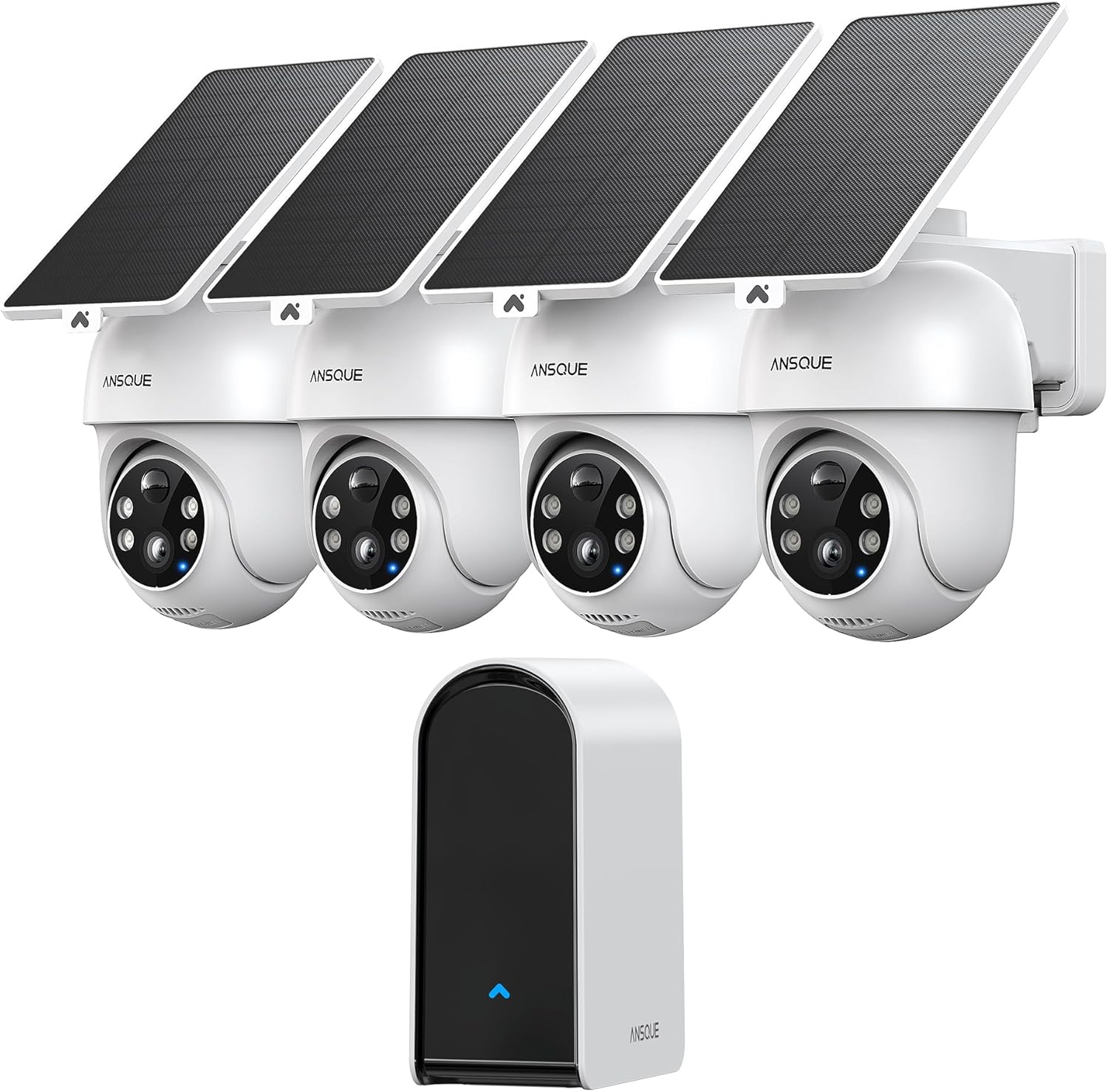
ANSQUE 4-Cam Solar Kit
Another four-camera bundle with similar goals. Compare the included storage and panels.
Check ANSQUE 4-Cam Solar Kit on Amazon
SOLIOM 4K Solar 2-Cam Kit
Two higher-resolution cameras for people who care about picture detail more than camera count.
Check SOLIOM 4K Solar 2-Cam Kit on AmazonKits make financial sense if you need three or more cameras. One bundle usually costs less than buying the same number individually, and the apps handle multiple devices neatly.
The Four-Camera Math
Four cameras means front, back, and both sides. Count the blind spots on your property first. If you only need two, a pair is cheaper and simpler than a kit. If you need four or more, a kit usually beats buying separately and keeps the app experience consistent.
Check the Details
Look at what is included: storage cards, a base unit, mounting hardware, and panels. Some kits ship with everything; others expect you to add storage. Also confirm how many cameras the app supports so you can expand later.
AOSU vs ANSQUE
Both target the same buyer: someone who wants broad coverage without paying premium-brand pricing. Compare current reviews, included accessories, and return terms, then pick the one that wins on the details you care about.
SOLIOM 4K 2-Cam Kit
This pair trades quantity for detail. It suits a smaller property where you want better picture quality at the two spots that matter most, such as the front door and driveway.
Planning Four Positions
A common layout places one camera over the front door, one covering the driveway, one at the back entry, and one watching a side gate or garage. Walk the property at different hours to find shade patterns, because a spot that is sunny at noon may be dark by mid afternoon.
Expanding Later
Check whether you can add the same brand’s cameras to the app. Mixing brands means mixing apps, which is rarely convenient. Choose a system with room to grow, even if you start small.
Kit Maintenance
With four cameras, a simple routine helps. Pick one day each season to clean all four panels, check batteries, and inspect mounts. Fifteen minutes prevents most problems.
Mini Review: AOSU 4-Cam Solar Kit
A four-camera purchase is a commitment, so it pays to start with a sketch of your property. This kit’s advantage is that coverage arrives all at once and shares one app. It suits homeowners tired of piecing together a system camera by camera.
Works well
- Broad coverage in one purchase
- One app for all cameras
- Good value per camera
Think twice if
- You only need one or two cameras
- You want hub-level local storage
Mini Review: ANSQUE 4-Cam Solar Kit
This kit targets the same buyer as the AOSU, so compare the included accessories, return terms, and recent owner feedback. In close races, those details decide which one feels better after a month.
Works well
- Four-camera coverage
- Convenient bundle pricing
- Good for larger yards
Think twice if
- You want a premium brand ecosystem
- You dislike managing many devices
Mini Review: SOLIOM 4K Solar 2-Cam Kit
Two cameras with sharper footage is a smart compromise for a smaller property. It is especially appealing if you want to read details like clothing or vehicles in good light.
Works well
- Higher-resolution footage
- Two cameras for key spots
- Good for smaller properties
Think twice if
- You need four-sided coverage
- Your Wi-Fi cannot handle higher-resolution streams
Kit Buyer Mistakes to Avoid
- Mounting all four cameras in similar places and leaving blind spots.
- Ignoring shade on at least one panel.
- Leaving default sensitivity high on every camera.
- Forgetting to name each camera in the app.
- Skipping the first-week review of clips.
A little planning at install time prevents most kit frustration.
Ready to compare prices? Current pricing and availability are always on Amazon.
Budget Solar Cameras Worth a Look

SOLIOM S600 Solar Dome Camera
A dome design is harder to tamper with and blends into rooflines.
Check SOLIOM S600 Solar Dome Camera on Amazon
AlkiVision 2K Solar Camera
A low-cost way to cover a shed or garage side.
Check AlkiVision 2K Solar Camera on Amazon
Zumimall 2K Solar Security Camera
A simple 2K camera for first-time buyers.
Check Zumimall 2K Solar Security Camera on AmazonPros
- Low entry cost
- Good enough for basic deterrence
Cons
- Apps can be less refined
- Longer-term durability varies
Budget cameras are fine for low-risk spots. Put the premium models where a clear image really matters, like the front door.
What You Give Up at Lower Prices
Expect less polished apps, slower notifications, and simpler detection. Build quality and long-term durability vary more widely. That does not make budget cameras bad. It means they belong in lower-stakes locations.
Where They Make Sense
Use them on garden sheds, side yards, fence lines, and storage areas. Reserve your best camera for the entrance where identification really counts.
Protect Yourself When Buying
Buy from a seller with a clear return policy, test the camera right away for connection stability and night footage, and register the product so warranty claims go smoothly. If it fails the first-week test, return it.
Matching Budget Cameras to Locations
The SOLIOM S600 dome suits an eave or corner where a low profile is useful. The AlkiVision and Zumimall 2K cameras fit simple needs such as a garage side door or fence. Treat them as helpful extras instead of your only line of defense at the front entrance.
Testing During the Return Window
Check these in the first days: how quickly alerts arrive, whether night footage is usable, and whether the camera keeps its connection after a router restart. A camera that fails any of these will not improve with time.
When to Upgrade
If you find yourself ignoring alerts, missing clips, or fighting the app, that is the signal to upgrade. Many owners start with a budget camera, learn what they need, and then buy a better one for the key position.
Mini Review: SOLIOM S600 Solar Dome Camera
The dome style is quietly useful. It blends into a corner or eave and looks less like an obvious target. It suits owners who want a tidy appearance and do not need heavy features.
Works well
- Low-profile design
- Fits corners and eaves
- Affordable
Think twice if
- You need advanced alerts
- You want a spotlight
Mini Review: AlkiVision 2K Solar Camera
Expect a simple camera that covers the basics. It works as a fence-line or shed watcher and as a way to test whether solar cameras suit your property before you spend more.
Works well
- Low cost
- 2K detail is enough for many yards
- Easy first purchase
Think twice if
- You want top-tier app polish
- You need long-term brand support
Mini Review: Zumimall 2K Solar Security Camera
This one suits first-time buyers who want to try wire-free security without a large investment. Check your return window and test it quickly in the exact location you plan to use it.
Works well
- Accessible price
- Wire-free setup
- Fine for low-risk spots
Think twice if
- You need guaranteed rapid alerts
- You want detailed analytics
Making a Cheap Camera Work Harder
Improve results with free upgrades: clean the lens, tilt the panel toward the sun, trim nearby vegetation, and move the router or add an extender. These steps cost little and help budget cameras perform closer to premium ones.
Ready to compare prices? Current pricing and availability are always on Amazon.
Placement, Panel Angle, and Power Tips
Mount the camera or panel where it gets the most daylight, usually facing south in the northern hemisphere. Tilt the panel so rain runs off and dust does not collect. Clean it a few times a year with a damp cloth.
Mount cameras at roughly eight to ten feet so faces stay in frame but tampering is harder. Test the Wi-Fi signal with your phone before drilling. If your camera runs a long way from shade, remember a separate power source is possible: a solar powered generator can run a hub or router in a shed, and our guide on what size solar generator you need helps with sizing.
Also check lighting around the camera. A good garden light setup, like those in our best solar lights for garden roundup, improves night footage. If lights stop performing, see why solar lights stop working.
Step-by-Step Installation Checklist
- Charge the camera fully before mounting.
- Test Wi-Fi or cellular signal at the exact spot.
- Choose a location with several hours of direct sun.
- Mount at a height that captures faces but resists tampering.
- Angle slightly downward and avoid pointing at bright lights.
- Set motion zones and a moderate sensitivity.
- Review the first week of clips and adjust.
Common Mistakes
The most frequent mistake is mounting under a roof overhang that blocks sun for most of the day. The second is pointing the lens at a street so it triggers constantly. The third is skipping a Wi-Fi test and discovering later that the camera disconnects at night.
Seasonal Care
Brush off snow, clear leaves and cobwebs, and wipe the lens. A clean lens and panel are the cheapest upgrades available.
Dealing With Shade
If the only good camera angle is shaded, separate the panel from the camera if the model allows, or add a longer cable to place the panel in a sunnier position. Trimming a branch can also work wonders. When none of that is possible, plan to top up the battery manually every few weeks.
Privacy Screens and Glare
Avoid pointing the lens directly toward a floodlight or a bright window. Glare washes out detail and confuses motion detection. A slight downward angle improves both.
Powering Networking Gear
If your camera relies on a router or hub in an outbuilding, consider how it is powered. Our guides on whether a solar generator is worth it and solar versus gas generators help you judge whether a small power station is a sensible addition to a remote setup.
Planning by Season
Spring and summer are forgiving. Autumn brings falling leaves that cover panels and trigger false motion alerts. Winter shortens daylight and adds snow. A simple seasonal routine keeps everything healthy: clean in spring, trim vegetation in summer, clear leaves in autumn, and brush snow in winter.
Using Multiple Cameras Together
Overlap fields of view slightly so a person moving across your property is captured by consecutive cameras. That gives you a continuous story instead of isolated clips. Label each camera clearly in the app, such as Front Door, Driveway, or Back Gate, so alerts make sense at a glance.
Long-Term Maintenance Plan
| When | Task |
|---|---|
| Monthly | Glance at battery level and recent alerts |
| Each season | Clean panel and lens, check mounts and cable seals |
| Twice a year | Update firmware and review sensitivity and zones |
| Yearly | Test Wi-Fi strength, review storage, and check account access |
| Every few years | Assess battery health and consider replacement |
Signs It Is Time to Replace a Camera
Rapidly dropping battery despite good sun, repeated disconnects after trying a stronger signal, cracked housings, or an app that no longer receives updates all point to replacement. Do not wait for a failure at the moment you need footage.
Ready to compare prices? Current pricing and availability are always on Amazon.
Storage, Subscriptions, and Privacy
Subscription plans can add cloud video history, person detection, and package alerts. Local storage on a microSD card or hub removes the monthly bill, but a stolen camera takes its card with it. Many owners mix both.
Use two-factor authentication, set a strong Wi-Fi password, and keep firmware updated. Point cameras at your own property, and check local rules about recording public areas or neighbors.
Local vs Cloud
Local storage is private and fee-free but vulnerable if the camera is stolen. Cloud storage survives theft and makes sharing easy but adds a recurring cost. A hybrid approach gives the best resilience: save locally and keep cloud history for the one or two cameras covering the main entrance.
Account Security
Use a unique password, enable two-factor authentication, and review who has access to your camera account. Remove old devices and former household members regularly.
Good Neighbor Practices
Avoid aiming at windows or private areas of neighboring homes. A short friendly conversation with neighbors prevents disputes and often makes them more willing to share useful footage in return.
Retention Habits
Decide how long you want to keep footage. Most people only need a couple of weeks, which keeps storage costs low and reduces privacy exposure. Save important clips manually and let the rest roll off.
Sharing Footage Safely
When you share clips with neighbors or the police, send only the necessary moment and avoid posting publicly. Public posts can create disputes and sometimes interfere with investigations.
What to Do if a Camera Goes Offline
Check the battery first, then the Wi-Fi, then the panel, then restart the camera. If it keeps dropping, move the router closer or add an extender. Most offline problems trace back to signal rather than hardware.
Troubleshooting Quick Guide
| Problem | Likely Cause | What to Try |
|---|---|---|
| Battery drains fast | Too many alerts or weak signal | Lower sensitivity, shorten clips, improve Wi-Fi |
| Camera goes offline | Signal or power dip | Check router distance, restart, recharge |
| Late notifications | Weak connection or phone settings | Check app permissions and network |
| Blurry night footage | Dirty lens or glare | Clean lens, adjust angle |
| Too many false alerts | Trees, cars, shadows | Use activity zones and lower sensitivity |
Most issues are fixable in minutes. Keep a short note of what you changed so you can undo it if a tweak makes things worse.
What Ownership Really Costs
Think beyond the camera price. Add any subscription, memory card, extra mounts, and eventually a replacement battery or panel. A low-cost camera with a monthly plan can exceed a pricier no-fee camera within a couple of years. Write the numbers down for your top two choices over three years and compare them honestly.
| Cost Item | One-Time or Recurring | Notes |
|---|---|---|
| Camera or kit | One-time | Biggest upfront cost |
| microSD card | One-time | Needed for many local-storage models |
| Cloud plan | Recurring | Optional on some brands |
| Cellular data plan | Recurring | Required for cellular cameras |
| Extra mounts or extension cables | One-time | Helpful for sunnier panel placement |
Ready to compare prices? Current pricing and availability are always on Amazon.
Which Camera Should You Buy?
- Already own Ring: Ring Spotlight Cam Plus Solar.
- Best overall coverage: eufy SoloCam S340.
- Best value, no fees: Reolink Argus or eufy SoloCam S220.
- No Wi-Fi at all: eufy 4G LTE Cam S330 or Ebitcam 4G.
- Big property: AOSU or ANSQUE 4-camera kit.
- Tight budget: SOLIOM S600, AlkiVision, or Zumimall.
Pick the camera that matches your spot and your tolerance for subscriptions, not the one with the longest spec list.
If You Only Buy One Camera
Get the eufy SoloCam S340 if you want wide coverage with local storage, or the Ring Spotlight Cam Plus Solar if you want the easiest experience within the Ring ecosystem. Both handle the front of a home well.
If You Are Building a System
Start with one strong camera at the entrance, then add affordable cameras at lower-risk spots. Hub systems and kits make this staged approach tidy.
If You Are Off the Grid
Go cellular. It costs a bit more to operate, but it is the only reliable path when no Wi-Fi exists.
Our Buying Shortcut
Ask three questions: Where will it mount? How will it connect? What do I want to pay each month? Your answers point to a category within seconds. Then use the sections above to pick a specific model.
Don’t Forget the Basics
A great camera cannot replace good locks, outdoor lighting, and a habit of keeping valuables out of sight. Think of the camera as one layer in a simple home protection plan.
Our Final Checklist
- Confirm several hours of direct sun at the mount.
- Test Wi-Fi or cellular signal on site.
- Decide on local or cloud storage.
- Pick resolution that fits your distance and needs.
- Buy from a seller with an easy return policy.
- Test within the first week, then fine-tune.
Quick Picks by Priority
| Priority | Start With |
|---|---|
| Easiest daily experience | Ring Spotlight Cam Plus Solar |
| Widest single-camera view | eufy SoloCam S340 |
| No monthly fees | Reolink Argus or eufy SoloCam S220 |
| Whole-property system | eufyCam S3 Pro or S4 |
| No Wi-Fi nearby | eufy 4G LTE Cam S330 or Ebitcam 4G |
| Most cameras for the money | AOSU or ANSQUE 4-Cam Kit |
| Lowest entry cost | AlkiVision or Zumimall 2K |
Revisit this table after reading the mini reviews above. If two cameras tie, choose the one with the better return policy and the app you enjoy using more.
One Last Piece of Advice
Do not chase specifications. Chase fit. A camera that is easy to mount, easy to understand, and easy to forget about will protect your property better than one you avoid checking. Start small, learn how it behaves in your yard, and expand when you know what you need.
Ready to compare prices? Current pricing and availability are always on Amazon.
Frequently Asked Questions
Do solar security cameras work in winter?
Yes, but charging slows with shorter days and heavy cloud. A well-placed panel and moderate motion settings usually keep them running. Short days and snow cover are the main challenges, so brush off the panel and consider lowering sensitivity during long cloudy stretches.
Do they need Wi-Fi?
Most do. Cellular models like the eufy S330 and Ebitcam work without it. For Wi-Fi models, test the signal at the mounting spot before drilling and add an extender if bars are weak.
How long does the battery last without sun?
It varies by activity, but many cameras last weeks to a few months on a full charge with light use. Heavy motion, cold weather, and weak Wi-Fi shorten that figure, so treat it as a range rather than a promise.
Is a subscription required?
Not always. eufy and Reolink offer local storage, while Ring’s best features use a paid plan. Even where it is optional, a plan may add cloud history and smarter alerts, so compare what you actually need.
Can thieves steal solar cameras?
They can. Mount them high, use anti-theft screws, and keep cloud backup on. Mounting out of reach and registering the serial number also help recovery if the worst happens.
What resolution do I need?
2K suits most yards. Choose 3K or 4K if you want detail at distance. Remember that lighting and lens quality shape footage as much as megapixels do.
Are they waterproof?
Outdoor models carry weather ratings, but check the specific rating before buying. Even weather-rated cameras last longer when the lens is angled away from direct rain and snow.
How much sun do the panels need?
A few hours of direct daylight per day is a good target. More sun means fewer manual charges, and shade is the most common cause of dead cameras.
Can they record continuously?
Most are motion-triggered to save power. Continuous recording usually needs a wired source. If continuous recording matters, a wired camera is usually the better tool.
Which is best for a large property?
A multi-camera kit or a hub-based system such as eufyCam is usually best. Pair it with a clear plan for placement, since coverage matters more than camera count.
Can a solar generator power my cameras?
Yes. See our guide on how a solar powered generator works for how that setup runs. It can also keep a router or hub running in a shed or workshop where grid power is unreliable.
How often should I clean the panel?
Every few months, or after dusty or snowy weather. Use a soft cloth and plain water, and avoid abrasive cleaners that scratch the surface.
Final Thoughts
The best solar security camera is the one that gets sun, reaches your network, and fits your storage preferences. Start with your biggest weak spot, choose a model above that matches it, and expand from there. Whichever you choose, give it good sun, a strong signal, and a few minutes of seasonal care, and it will keep watch quietly for years.
Ready to compare prices? Current pricing and availability are always on Amazon.